

The RebelMouse platform features a rich search engine optimization (SEO) toolset that guides writers and editors to think about the right search phrase behind every story, as well as how to focus on small but meaningful modifications designed to improve organic search performance.
Our SEO technology centers around best practices for search, including detailed metadata that will help Google's site crawler identify, index, and rank your content quickly.
Here's a look inside our SEO technology.
First, What Exactly Is Metadata?
According to the dictionary, metadata is "data that provides information about other data." For SEO purposes, think of metadata as a prime opportunity to describe your website to Google's crawler — the mechanism by which your site and its pages get indexed in Google's database. From there, Google's search algorithm will rank your site for search queries that it determines are relevant to your content.
It's important to make sure your metadata is clearly written in a succinct way so that Google can quickly understand the nature of your content. Quality metadata can also be useful for web analytics services like Parse.ly that provide statistics about your content.
Inside Entry Editor's SEO Tab
It's important to add metadata to every new post on your site. In the SEO tab of the right-hand navigation menu in Entry Editor, you'll find several key fields to enter metadata for your post. There are fields for metadata headline and description.
There is also a URL slug option. This is where you want to enter the key search phrase you would like your post to win. This helps your chances of ranking high for it because Google will crawl the URL verbatim. For example, if your article is about the best hotels and restaurants in Bali, you may want to make your URL slug "Bali travel tips."
If you click the Channels tab within the same right-hand navigation menu, you can also add tags to your post as well.
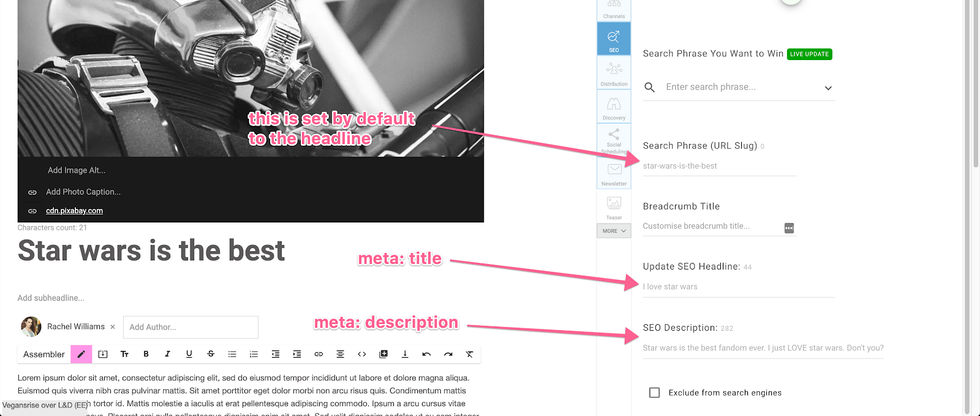
SEO Headline: Your SEO Headline should tell both users and search engines (e.g., Google) what the topic of your article is. If headline phrases appear in a user's search query, Google will consider your article more relevant and reward it. Creating and maintaining an SEO headline is your first opportunity to think about key search phrases you'd like to organically win.
For example, you may be interested in optimizing an interior design article for the search keywords "brownstone" and "apartment." To begin, you should update the SEO Headline field in Entry Editor with those keywords:
 Note: Updating your SEO Headline will not change the main headline of your post.
Search Phrase (URL Slug): This field allows you to change the URL slug of your post. If your URL contains relevant words, this provides users and Google with more contextual information about your article page:
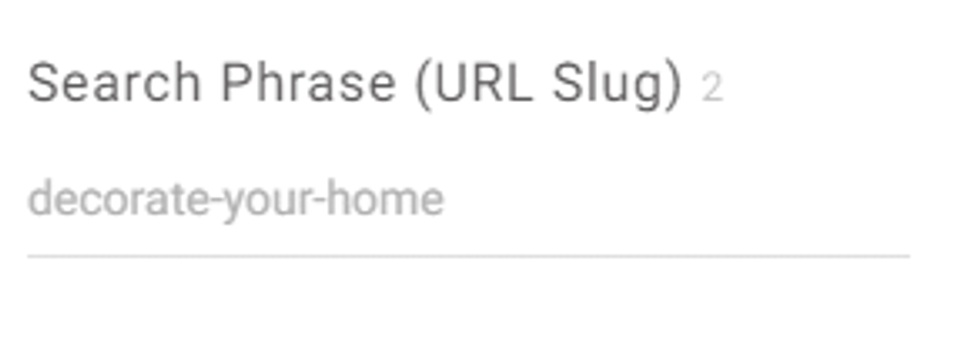
Here's what the default URL slug looks like before you make any changes to the "Search Phrase (URL Slug)" field. By default, we use the main headline of your post:

Here's how the URL slug appears after an update based on our example target keywords:

SEO Description: The SEO Description (or meta description) for your article gives Google a summary of what the article is about. Unlike your SEO Headline, your SEO Description can be either a quick sentence or a short paragraph. Write a description that'll both inform and interest users to click if they see your description in a search result. It should be noted that meta descriptions are no longer ranking factors in SEO and are increasingly ignored. However, structured data is becoming a strong ranking factor and, accordingly, we have invested heavily as a platform in the support of structured data and we will continue to do.
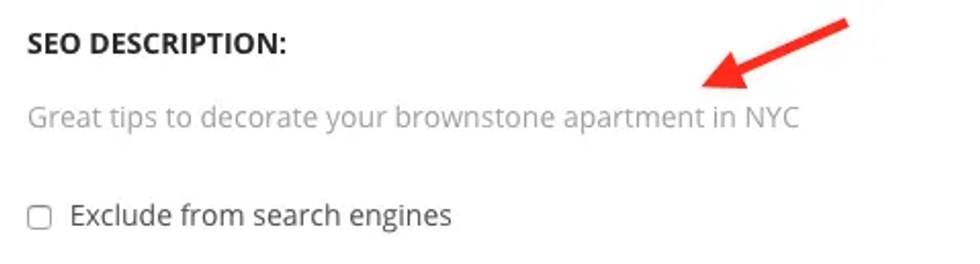
Here's how our example updates appear in a Google search result. Keywords in the URL slug and description are bolded by Google if they match a user's search query. This helps give users clues about whether or not the content being surfaced is what they're actually looking for:

SEO Description + Metadata Best Practices
When writing an SEO Description, look at it as an opportunity to describe to both readers and Google what each piece of content is about. It's best to keep these descriptions to 160 characters or less, and it's especially important to focus on relevancy. Avoid the clickbait and think about what your readers might search for that would lead them to a particular piece of content. Google can choose to not use the meta description you provide if it considers it to be irrelevant.
If your SEO headline, URL slug, or description exceeds the recommended character count, you will see a warning message in the SEO tab:
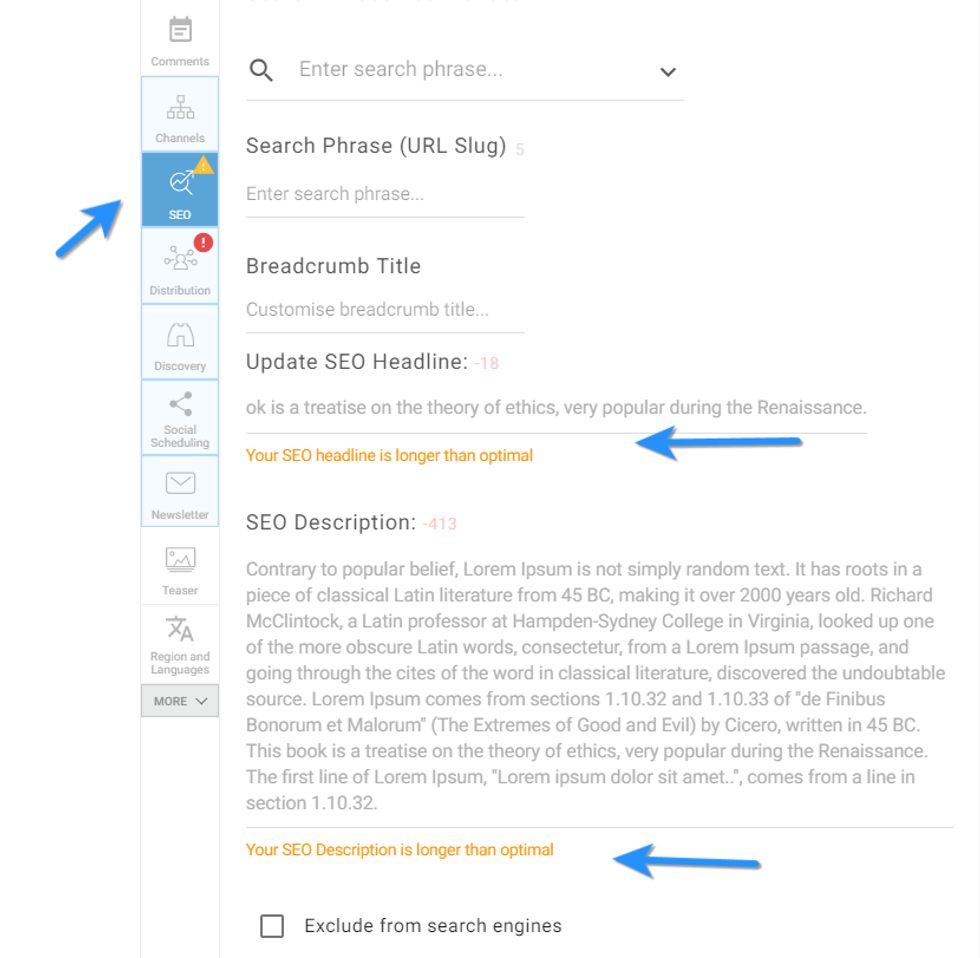
Meta descriptions are also handy ways to eloquently describe any page on your site, including sections. Keep in mind that social sites such as Facebook will use metadata content to preview articles in its News Feed, too. So don't be afraid to spend a little extra time on crafting a killer description.
If your article doesn't have an SEO Description, we will pull from other content sources to use as the meta description:
- If there is no SEO description, the subheadline will be used as the meta description.
- If there is no subheadline, the social headline will be used as the meta description.
- If there is no social headline, the article headline will be used as the meta description.
- If there is no article headline, there will be no meta description.
Search Discovery (Search Phrase You Want to Win)
Search Discovery lets you define a search phrase you want to win, and then returns results from Google's first page for that search term. A checkbox option is provided so you can select like-minded articles that you'd like to include at the end of your post:
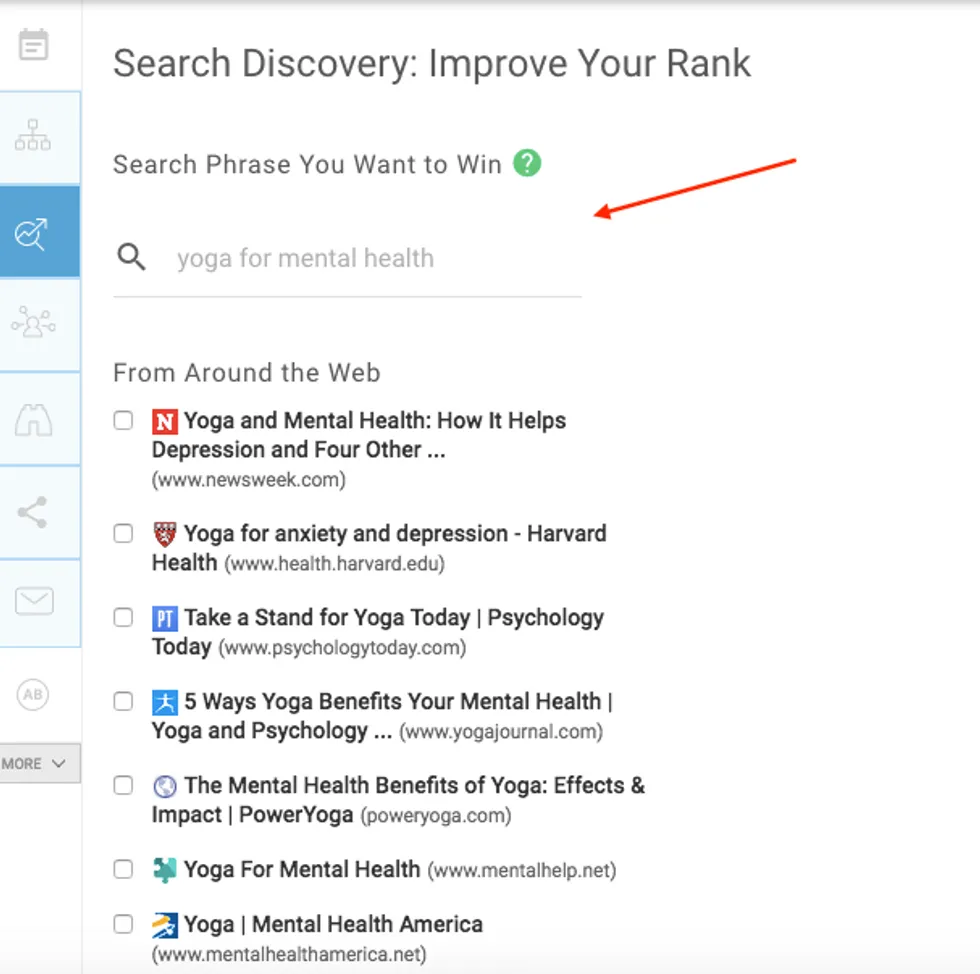
Your post will link to the selected articles in the Related Articles Around the Web module shown below your content. This is a proven SEO practice that's rewarded by Google. Since your article will link to pages already winning your search phrase, it can increase your own post's relevance score with Google's crawler.
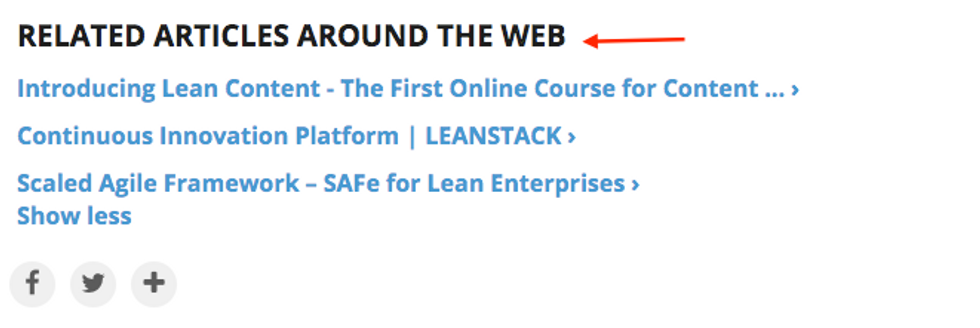
If a user clicks one of your article's "Around the Web" links, the original article will be linked at the bottom of the related article. This helps to optimize more than one post at the same time. Here's a screencast of the workflow:
Alt Text
It's also very important to include alt text on all of your images. Alt text is very important for accessibility and can also have benefits for SEO. Briefly, alt text is text that is added to an image to describe it to search engines, and also to allow people using screen readers to be able to know what the image is, without actually being able to see it. You can easily add alt text to any image in RebelMouse from the Entry Editor.
Google Search Console
Google Search Console is a free tool that helps you to understand and optimize your site's performance in Google's search results. When Google visits your website for tracking purposes, it performs what's called crawling and indexing — a process of adding web pages into its search results.
Search Console allows you to add or remove specific content from Google's search results. The tool will also help you learn which keywords trigger your site to appear in Google's rankings, and which third-party sites are linking to yours. It also allows you to monitor your site's performance on search, including locating any errors on your pages.
- Click here to set up your Google Search Console.
- Click here to submit a sitemap in Google Search Console.
- Click here to learn more about our SEO Keyword Win feature, which shows you what keywords you've won in the search engines so you can adjust your URL slug and related articles to improve SEO even further.
Using Metadata to Increase Your Google Ranking
To increase your ranking on Google through user engagement with your content, it's important for your site to have a clear and concise metadata description. Also called "snippets," these organic pieces of text can help boost click-through rates to your pages. For example, here's what the metadata description is for the search query "BuzzFeed."
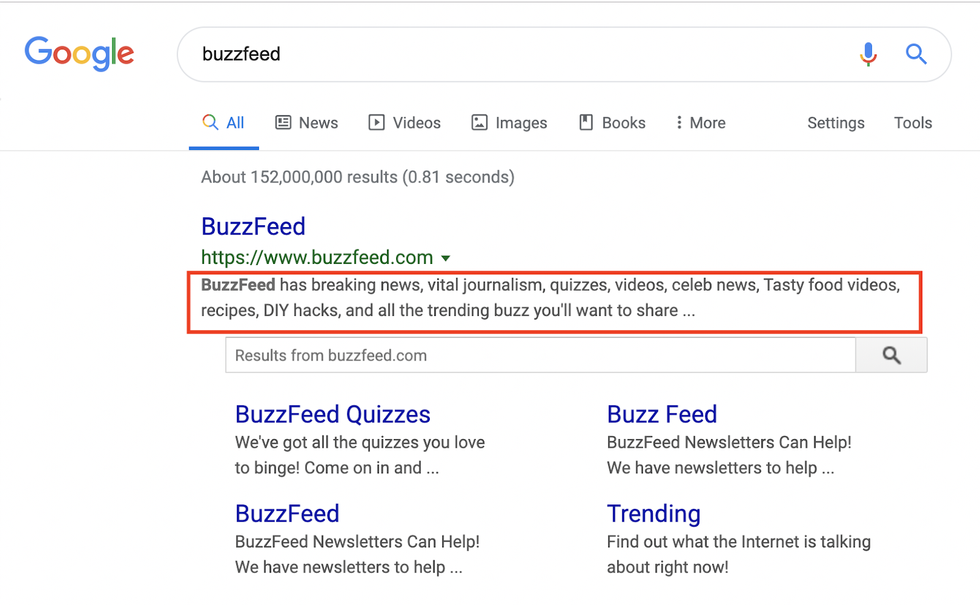
However, sometimes your site's metadata description will not reflect the content you intended to use. According to Google, metadata descriptions are generated automatically. Google's goal is to answer questions relevant to each individual search query. The engine's crawler takes into consideration not just the metadata, but also the natural language of every page's content. Here is more information from Google:
Google's generation of page titles and descriptions (or "snippets") is completely automated and takes into account both the content of a page as well as references to it that appear on the web. The goal of the snippet and title is to best represent and describe each result and explain how it relates to the user's query.We use a number of different sources for this information, including descriptive information in the title and meta tags for each page. We may also use publicly available information, or create rich results based on markup on the page. While we can't manually change titles or snippets for individual sites, we're always working to make them as relevant as possible.
In the link above, Google provides several strategies for creating a link structure that will help the algorithm create effective search snippets, including writing relevant metadata descriptions. On RebelMouse, you can create your own metadata using Header Code elements in our Layout & Design tool. For example, adding the following Custom HTML element will add a meta description to your page:
<meta name="description" content="Insert your description here">
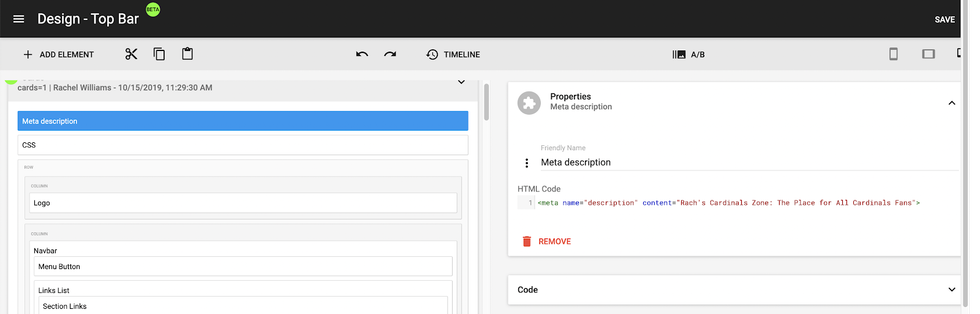
Writing your own metadata descriptions doesn't guarantee that Google will generate the perfect search snippet, but it is a best practice in order to optimize your content for search.
How to Structure Metadata for Site Sections
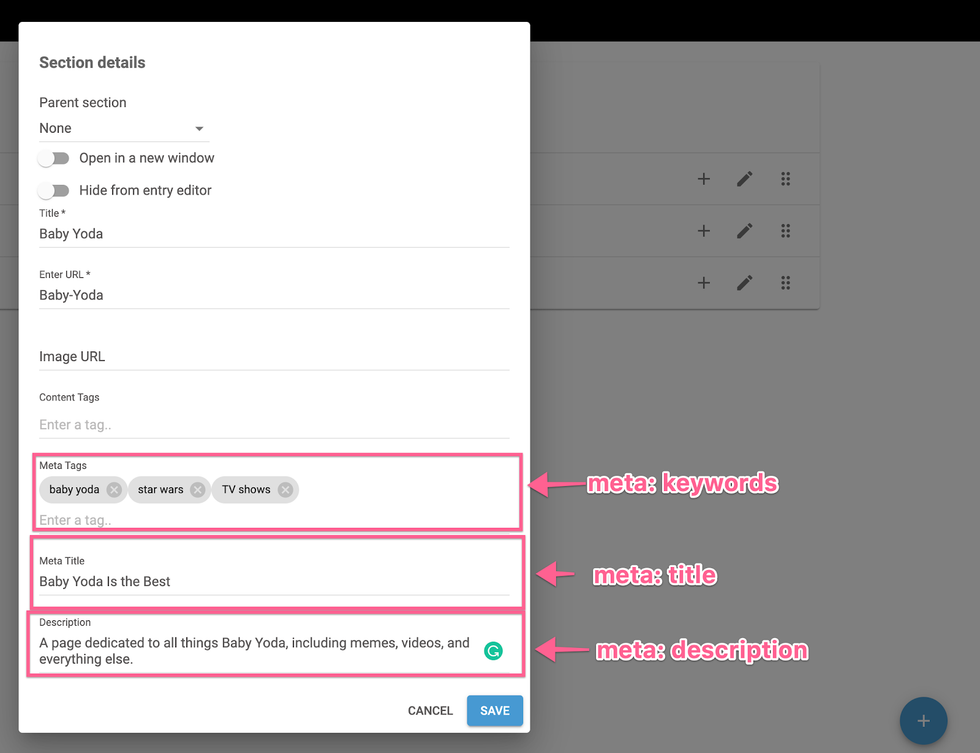
When you're creating a new section for your site on RebelMouse, it's easy to add metadata at the same time. There are a few fields to fill out that will ensure Google has the information it needs.
Meta Tags: Think of these as keywords that best describe your site. For instance, if your site is about travel tips, you may want to add keywords like "hotels," "airplane tickets," and "luggage."
Meta Title: This serves as the <title> tag of your page. This tag is used to provide an overarching title for your page. Try to use a relevant and succinct title.
Meta Description: This field provides search engines with a short summary of your page. You want to write a short description of the content on display. Try to use relevant keywords when it feels natural.
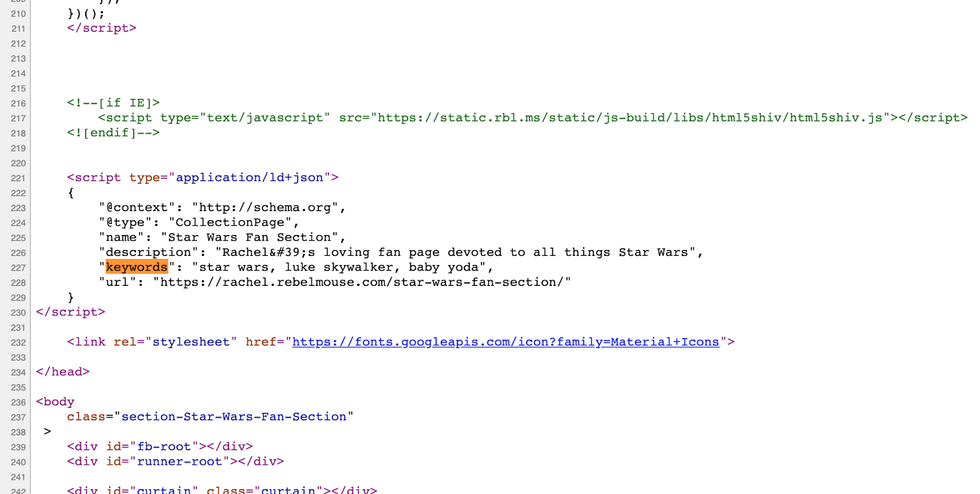
After the fields are completed, you can view the metadata in the page source:
If you have any questions, feel free to reach out to our support team at support@rebelmouse.com.


