

RebelMouse offers unique, customizable GA4 dashboards through Google Looker Studio that provide key insights into the metrics that matter most to publishers. We give our clients the ability to quickly understand the performance of their sites so that they can then make important decisions on the fly. Here's what you get from the standard setup:
- General Site Performance
- Content Performance
- Primary Sections, Authors, and Primary Tags Performance
- Audience and Demographics Performance
- Loyalty Performance
- Google Search Console Performance
- Questions Search Performance
- Source/Medium Performance
- Referrals Performance
- Paid vs. Non-Paid Traffic Performance
- Layout Performance
General Site Performance
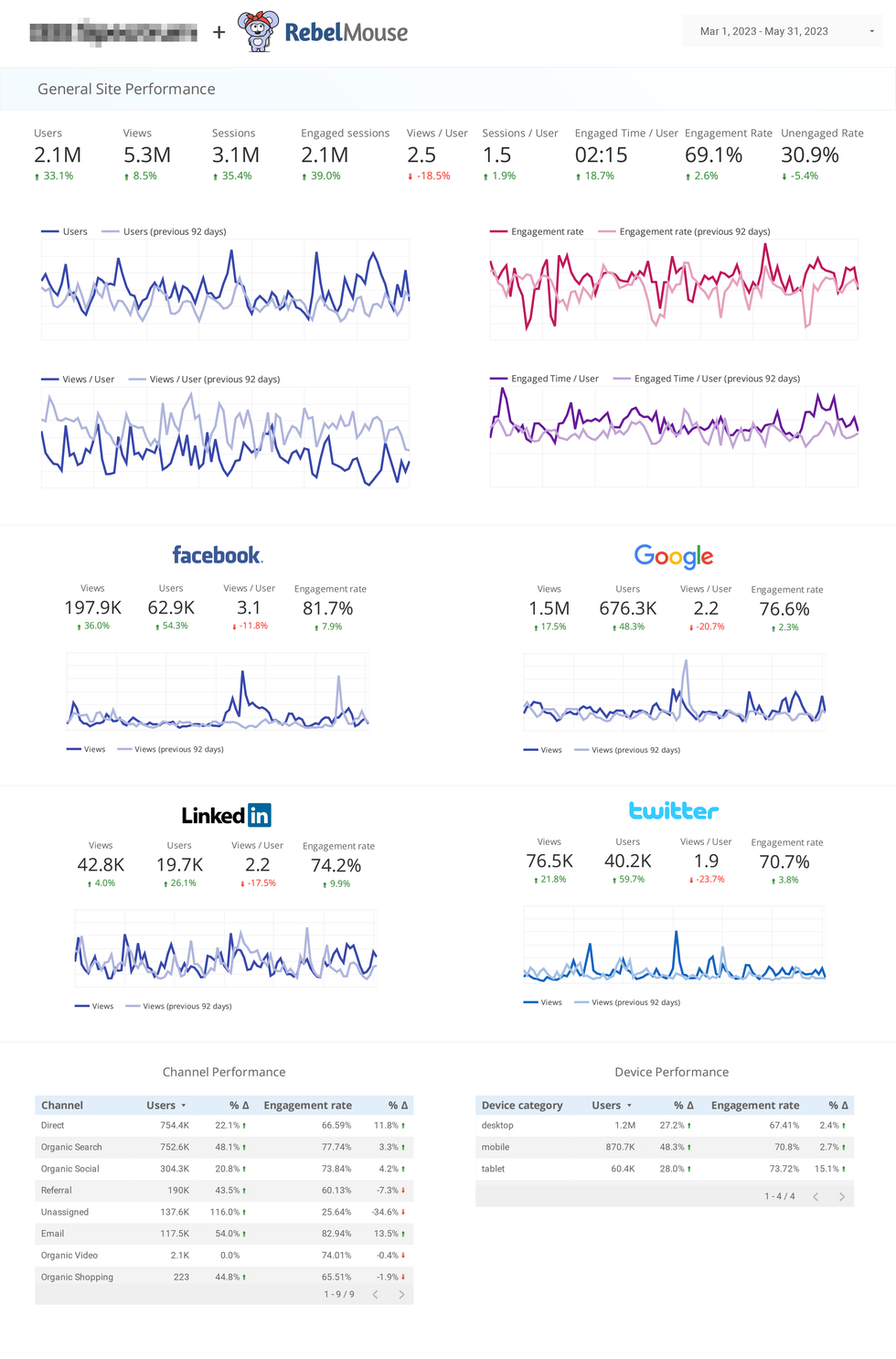
The General Site Performance page of our Looker Studio dashboard showcases baseline stats like views, users, sessions, views per user, sessions per user, engaged time per user, and engagement rate, as well as key traffic metrics grouped by their sources:
- Facebook traffic
- Google traffic
- LinkedIn traffic (customizable to your top referral)
- Twitter traffic (customizable to your top referral)
Toward the bottom, we include the performance of GA4's Default Channel Grouping and an overview of performance by device.
Content Performance
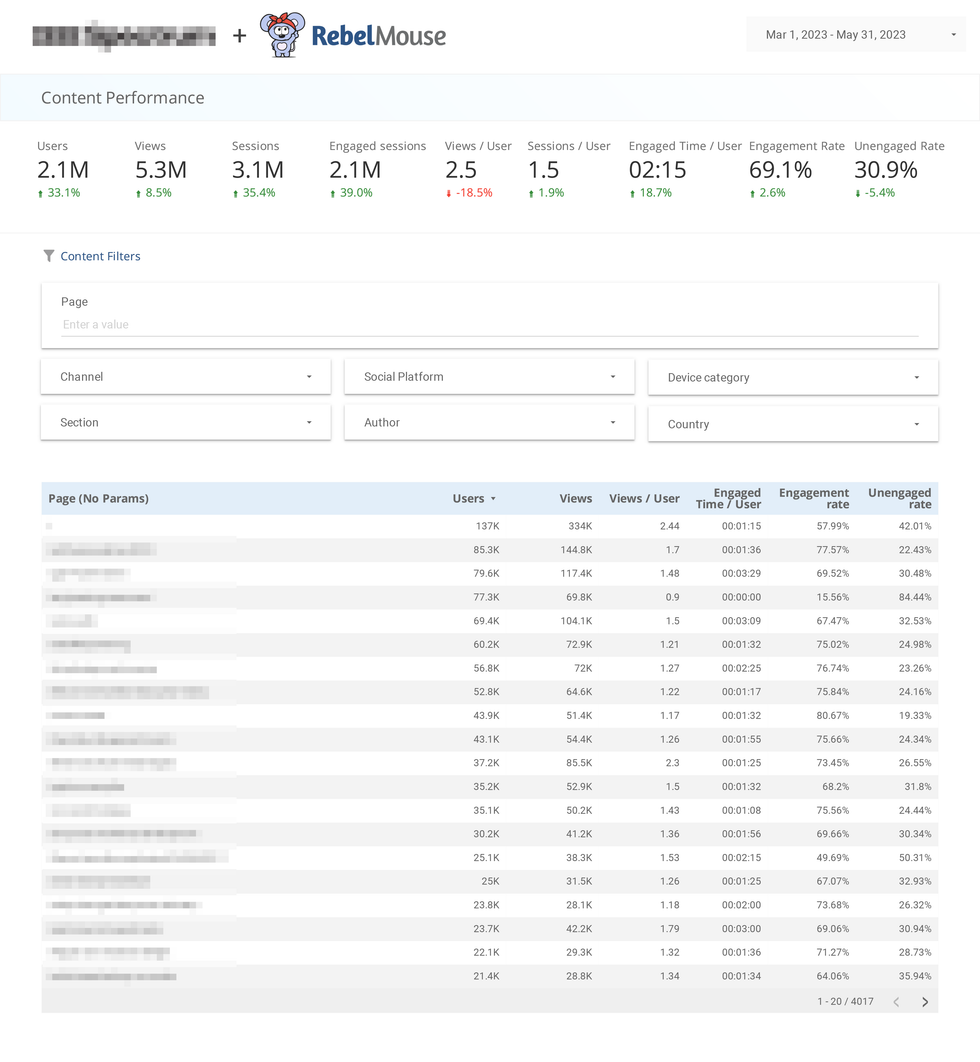
The Content Performance page of our Looker Studio dashboard shows you which content is performing the best. You can filter by the following parameters to drill down into the data:
- Page path (page URL)
- Author
- Channel
- Device
- Layout
- Social Platform
- Primary Section
Primary Sections, Authors, and Primary Tags Performance
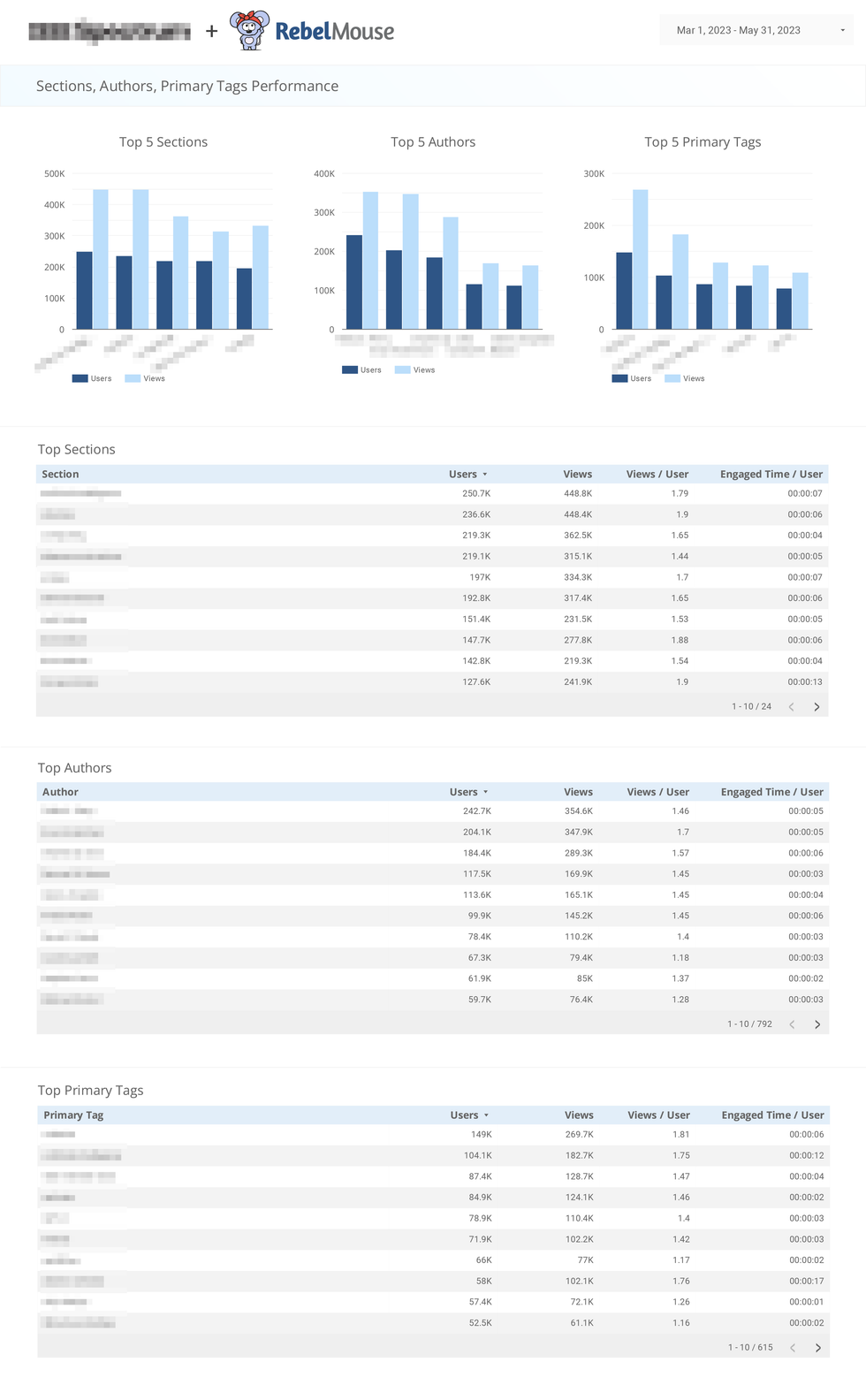
The Primary Sections, Authors, and Primary Tags Performance page of our Looker Studio dashboard allows you to see which primary section, author, and primary tag is performing the best during a specific time frame.
Audience and Demographics Performance
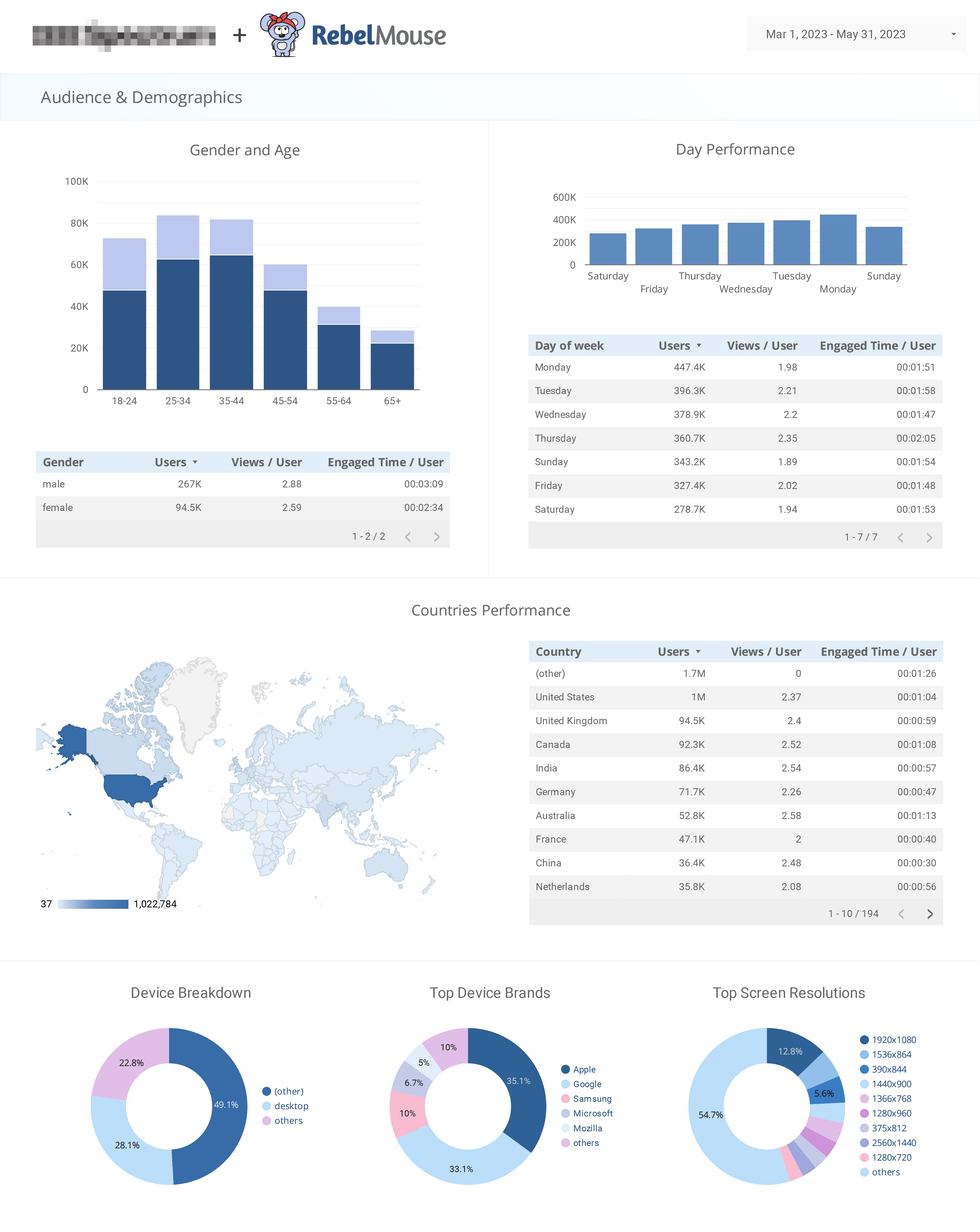
The Audience and Demographics Performance page in our Looker Studio helps you understand your audience better based on their demographics, gender, age, geolocation, and which day sees the highest content consumption, as well as the breakdown by device.
This page is applicable when you enable Google Signals inside your GA4 settings.
Loyalty Performance
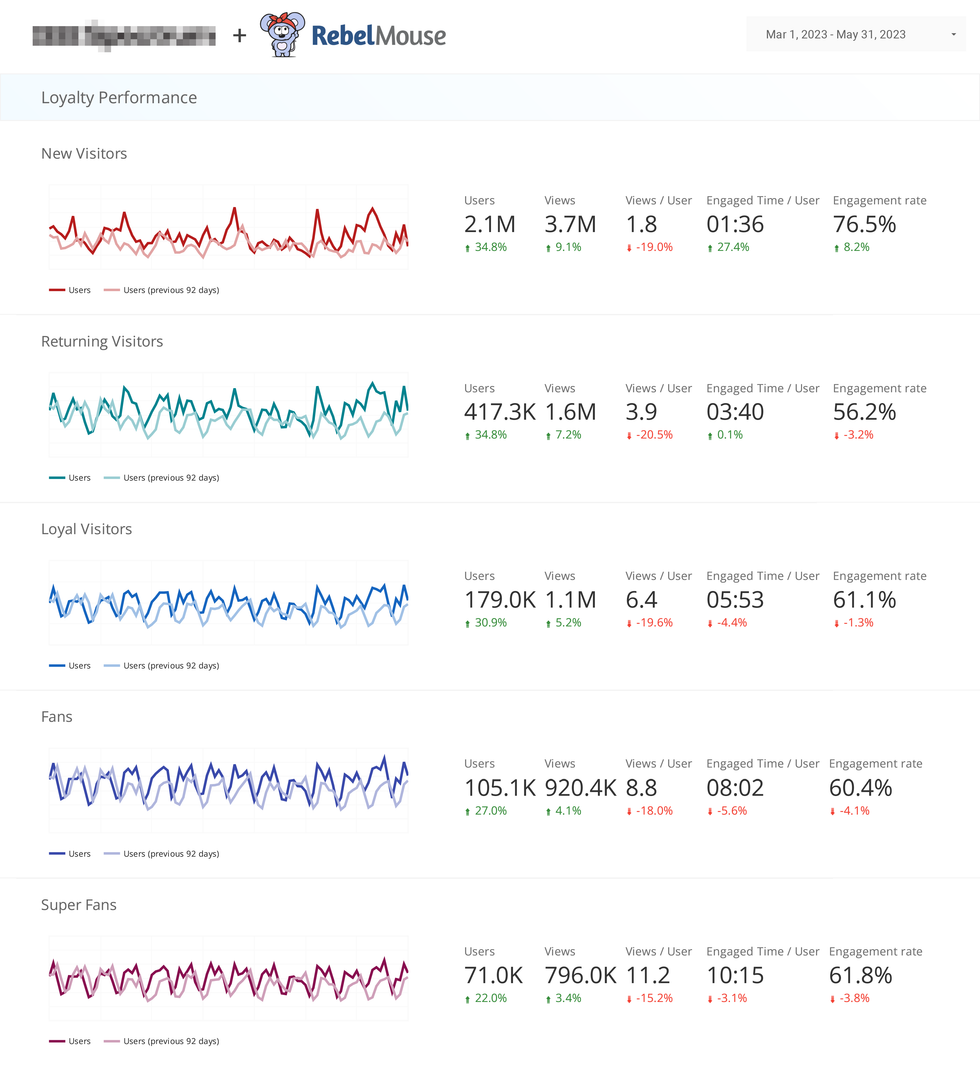
The Loyalty Performance page of your Looker Studio shows different levels of loyalty, or fan level. We have defined five levels of loyalty audience groups as follows:
- New Visitors: users who initiated 1 session
- Returning Visitors: users who initiated 2 or more sessions
- Loyal Visitors: users who initiated 3 or more sessions
- Fans: users who initiated 4 or more sessions
- Super Fans: users who initiated 5 or more sessions
This gives you great insight into the amount of traffic that is returning to your site. As you can see in our example above, we also see that as loyalty grows, pages per user and time per user also grow.
Google Search Console Performance
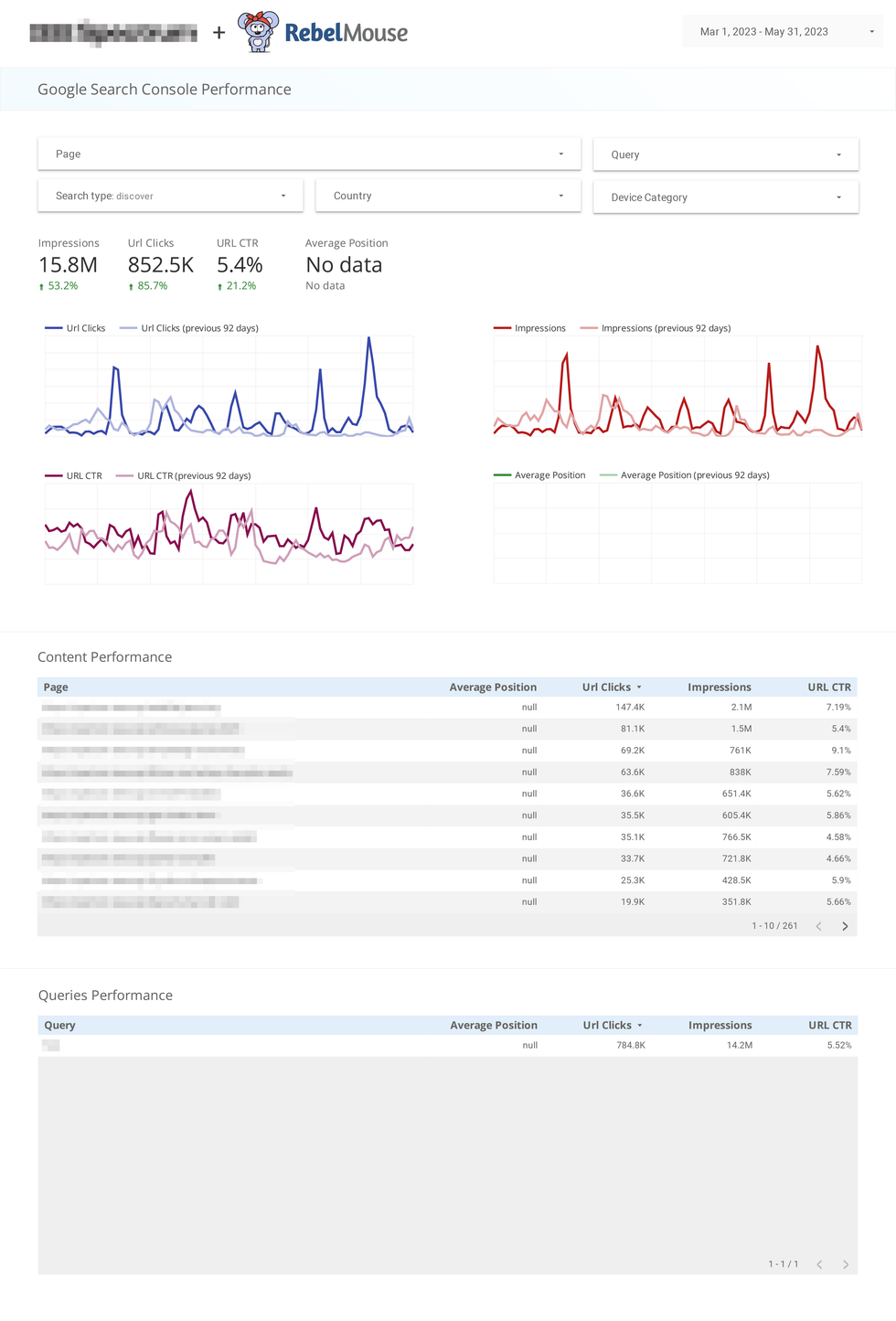
The Google Search Console Performance page sources data from your Google Search Console account. We can see metrics such as search impressions, search clicks, CTR, and average position (rank). We can filter them by page, query, search type, country, and device category to help dig deeper into the data.
Included at the bottom of the page are tables of top-performing content inside Google Search Console, as well as top-performing keywords (queries) as reported by the same.
Questions Search Performance
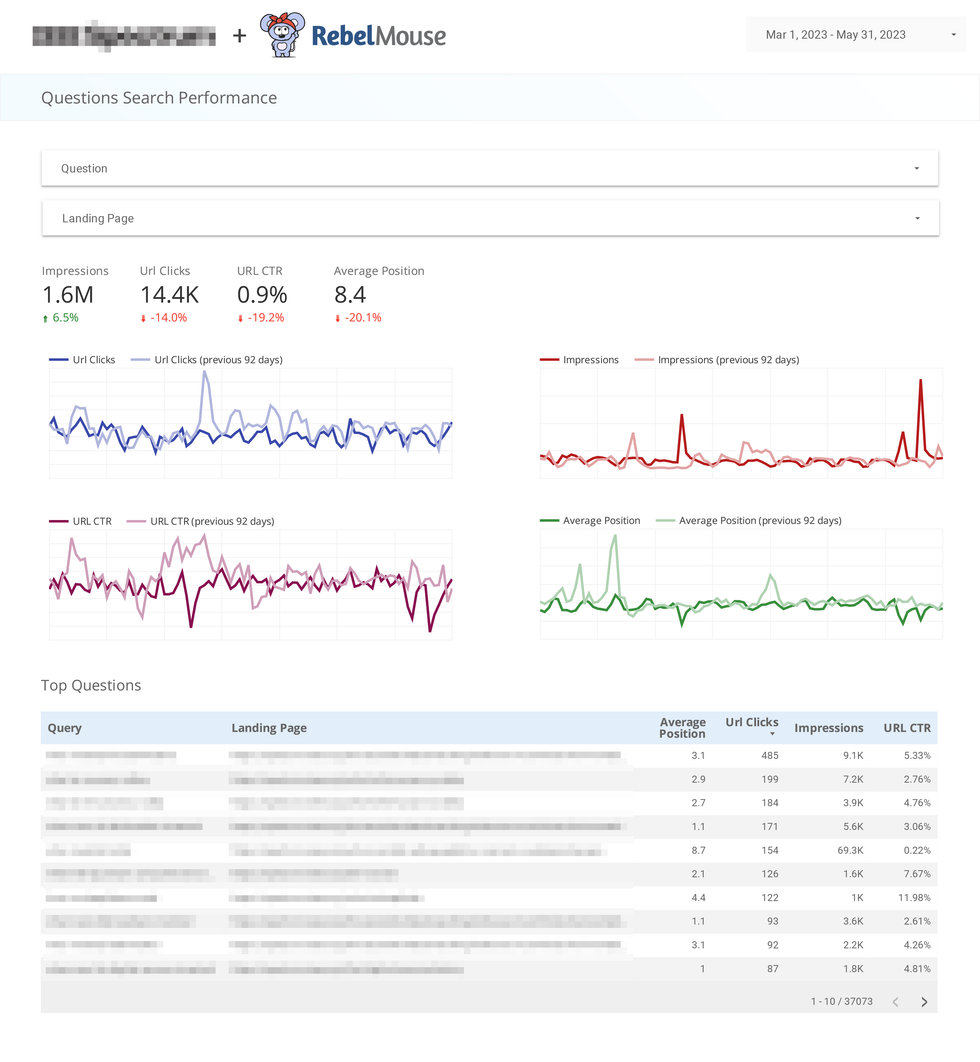
The Questions Search Performance page sources insights from Google Search Console, where we can see which Frequently Asked Questions from users are bringing in the most visitors to your site.
Source/Medium Performance
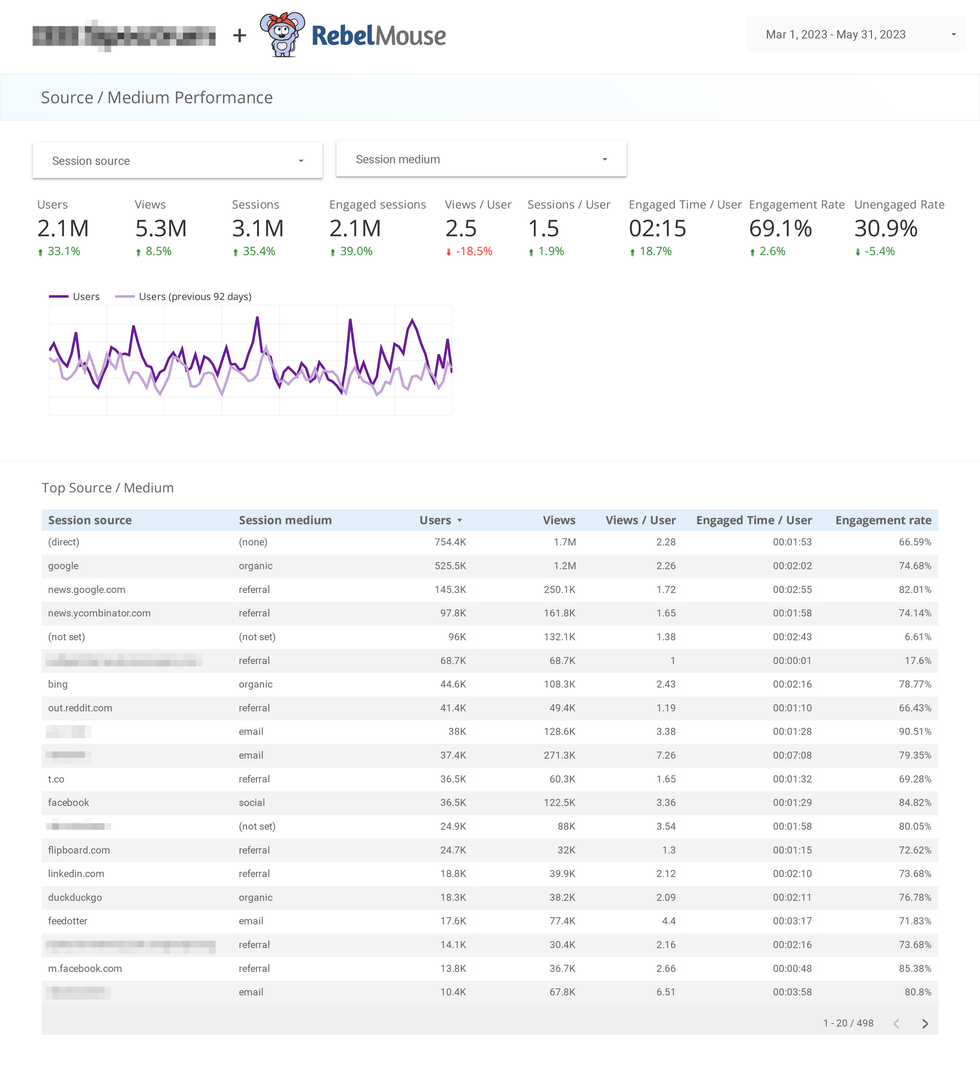
The Source/Medium Performance page showcases which sources/mediums and UTM tracking tags are bringing in the most traffic to your site. There are filtering options at the top of the page that allow you to filter by sources, mediums, and time frame.
Referrals Performance
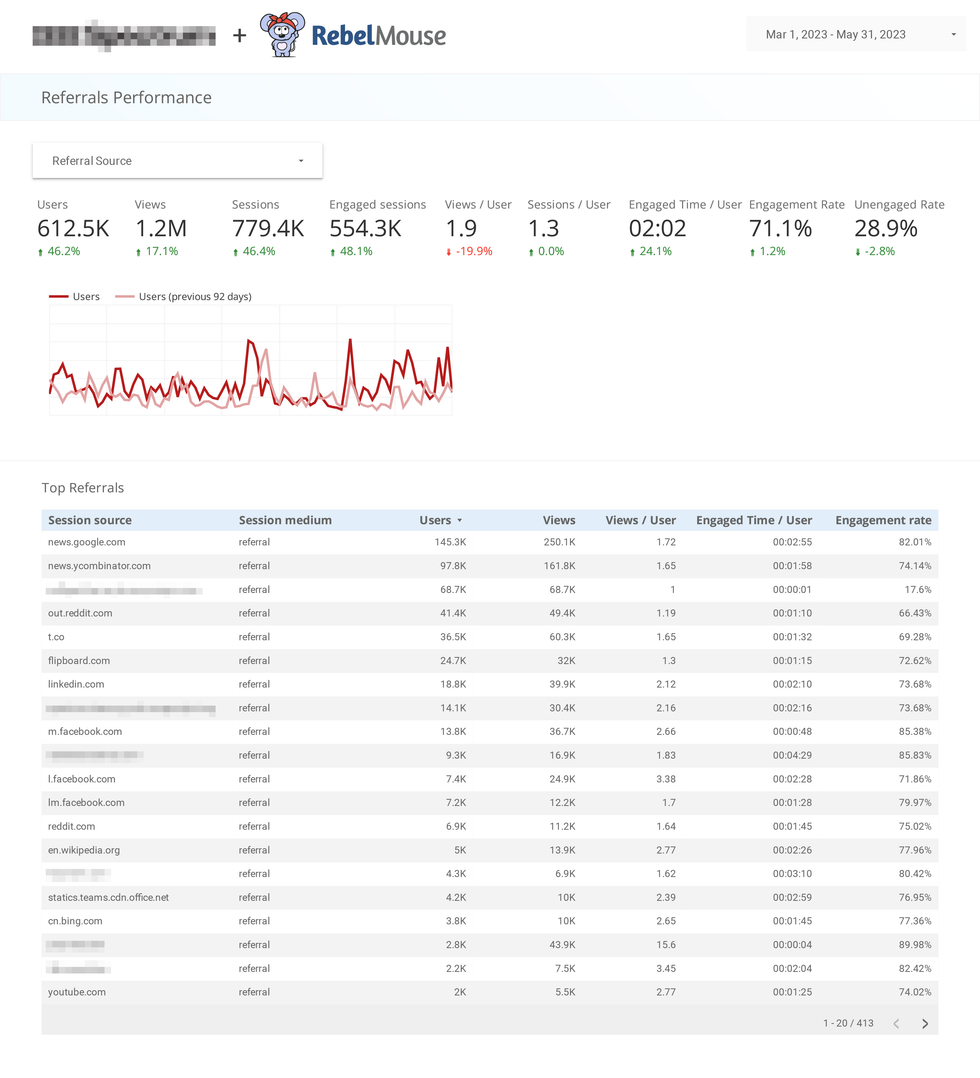
Similar to the Source/Medium Performance page, the Referrals Performance page showcases referral traffic specifically. There are filtering options at the top of the page that allow you to filter by referral source and time frame.
Paid vs. Non-Paid Traffic Performance
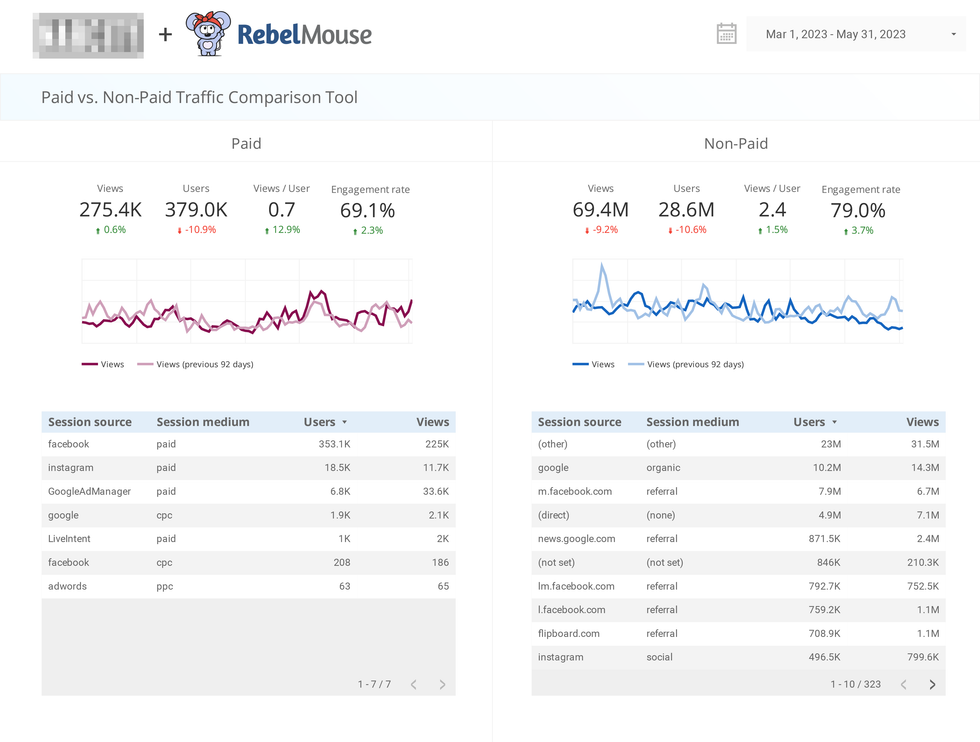
This page of our Looker Studio dashboard allows you to compare common paid vs. non-paid traffic performance.
This is built on filtering which follows the industry's most common UTMs for paid sources.
UTMs included as paid traffic are:
- Source/Medium which contains "CPC" (Cost per Click)
- Source/Medium which contains "PPC" (Pay per Click)
- Source/Medium which contains "Paid"
If you are by chance using a custom paid campaign with unique UTM parameters, feel free to reach out to us about the unique UTM name and we can adjust your Looker Studio dashboard page to include your unique paid UTM campaign.
Layout Performance
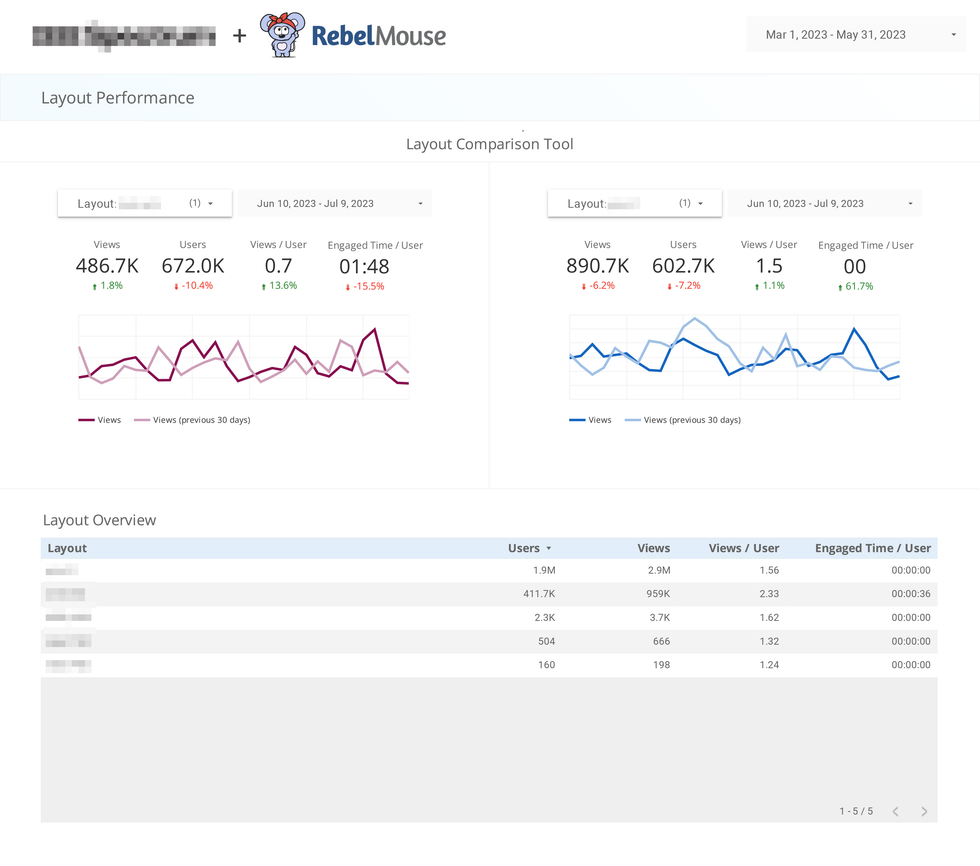
The Layout Performance page of our Looker Studio dashboard allows you to compare different page layouts on your site and review their performance against traffic.
If you have any questions about your site’s Looker Studio dashboard, contact your account manager or email support@rebelmouse.com.
Related Article


