


You can now hyperlink to a specific particle within your article. Check out an example here.
Anchoring A Link Inside The Body Of The Post To A Particle
Here's How It Works
Each item/particle created in the Entry Editor is automatically allocated an id called rebelltitem$:
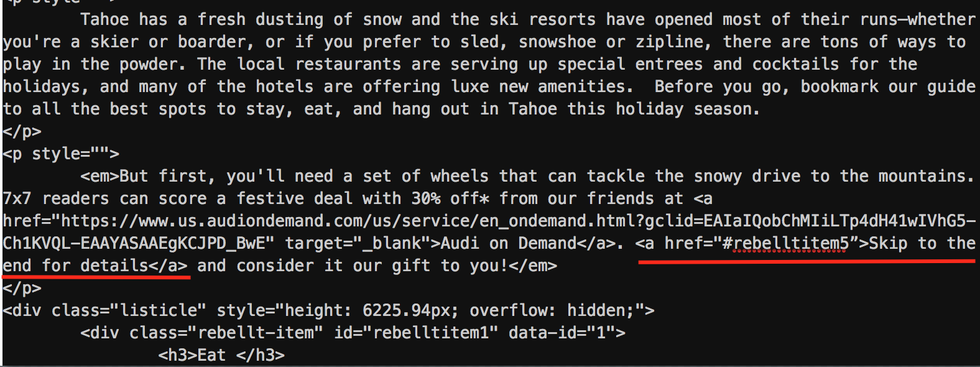
In the 7x7 example above, they wanted to link a snippet of text to particle #5 on their list:
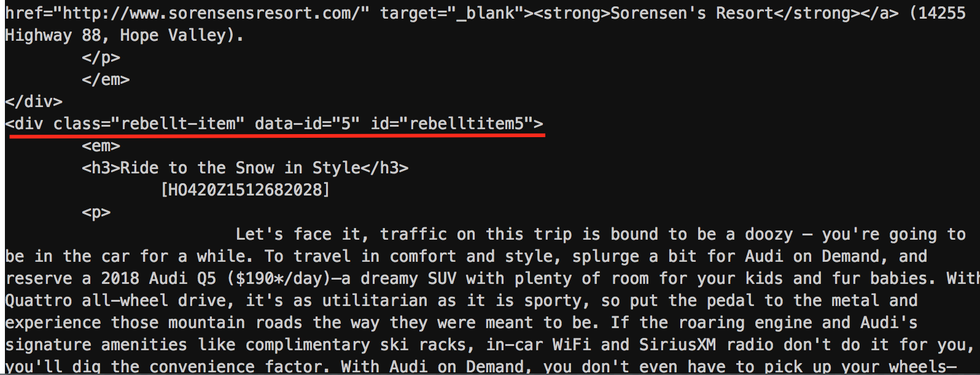
Here's How to Implement It
- Select the text snippet you want to link.
- Enclose the text inside of an tag. It needs to look like this: TEXT YOU WANT TO LINK
To find the correct ID, you can either physically count to the item, or you can search for it in the HTML of your post.
Anchoring A Link to a Footnote
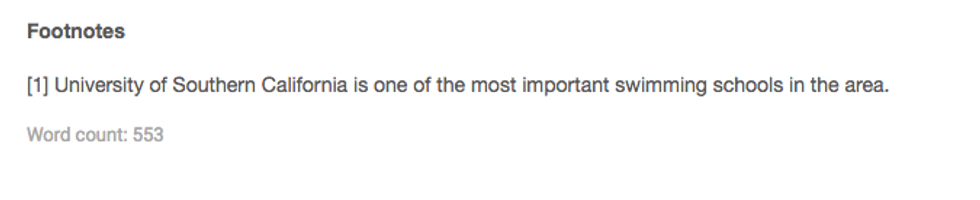
This is as simple to do as anchoring an assembler particle!Let's say you have a (1) in an article, and you want that word or combination of words to be linked to a specific footnote.
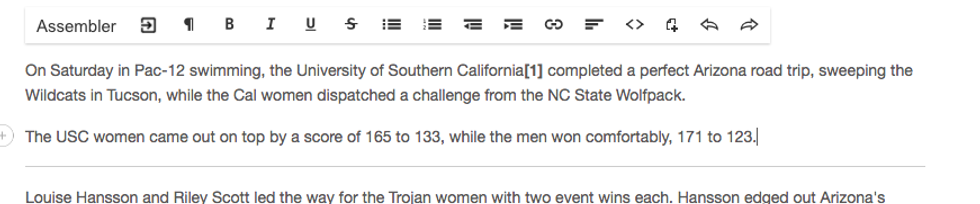
Step 1: Link the word with an #id
Go into the HTML mode of the post and find the (1) (or word) you want to link. Add this right next to it: [1]
The (1), of course, should be whatever word you've chosen to link to the footnote.
And the #id can be anything you choose -- it just has to be unique. In this case if I had more footnotes I'd do: #footnote2, #footnote3, #footnote4, etc.

Step 2: Match the footnote with said #id
Go to your footnotes, find the
tag of the footnote you want to link and add the id to it, like this:

If you use pagination in your articles
You'll need to add ?page=3 (for example, or whatever page number you have the footnotes in), like this here:

So it links out to the 3rd page of your article, where the footnotes are, in the HTML mode, and it looks like this: "[1]
Example post: https://doitforthedemo.rebelmouse.com/pac-12-saturday-recap-2507211855.html
Linking To A Specific Particle In The Post URL
That is a much simple ordeal and it's based on the same rebelltitem logic.
You need to append ?rebelltitem=$#rebelltitem$ to the URL.


