


When it comes to “live your music dreams,” Sweetwater has a product for you – everything from guitars to keyboards, drums, lights, microphones, other instruments, cameras, and video, plus other gear you can imagine.
That’s what makes it a natural fit for RebelMouse-powered Premier Guitar to feature its products. Each one can easily be pulled into any article, complete with product structured data that Google loves.
"It's been a great boost to our efficiency," said Premier Guitar Director of Growth & Development Matt Roberts. "You search for a product right in the editor, and the card just builds itself: price, brand, affiliate link, all of it. It's turned something that used to be manual work into a non-event for our team."
How It Works
It’s incredibly easy to pull in a product. You can search for one in the Entry Editor, just as you might search for a Google image, YouTube video, or Amazon product:
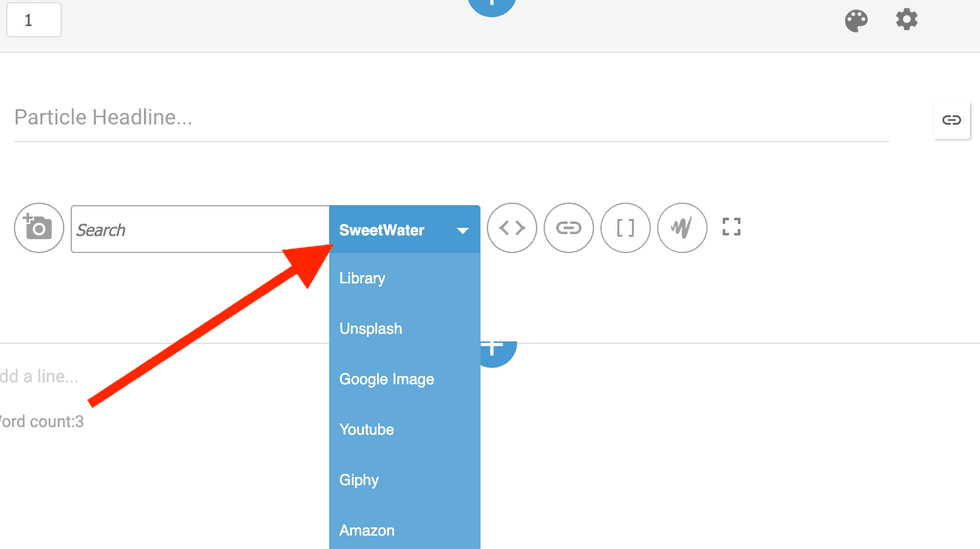
From there, you will see a list of products that match your search criteria.
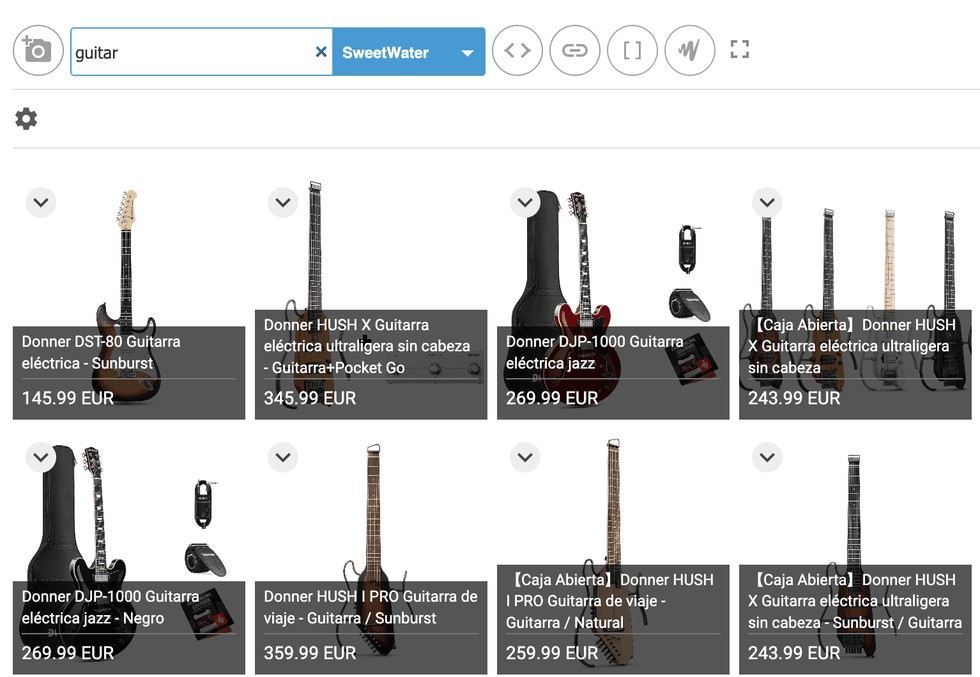
Once you make a selection, a product description is pulled in, the brand, and the price, as well as a link to the product with affiliate parameters.
Technical Details of the Integration
From a technical standpoint, the core idea is we only talk to Impact (Sweetwater) when a writer is picking a product, never when a reader opens the page. Everything follows from that.
When the writer searches, the site has an Impact account. Its login details sit in that site's settings — no details, no feature. The writer types a search in the editor. That search goes to our server, and our server asks Impact. We do it that way so the secret password never reaches the browser.
Impact sends back a plain list of products. Before showing it, our server does something useful: for each product it builds a small text tag holding all the details (title, image, price, affiliate link, chosen layout) and also builds the finished look of the card. So the writer sees real product cards in the results, not a list of names. Clicking one drops that little tag into the article.
When a reader opens the page, the article doesn't store a product card. It stores that little tag. At page load, the system swaps the tag for the real card, using the details of the tag already. Impact isn't contacted at all. That's why it's fast, and why articles keep working even if Impact goes down. The catch is worth knowing: the price is frozen at the moment the writer inserted it. Nothing updates it later.
Three looks, three places: The writer picks one of three layouts: full card (image + title + price), image only, or a plain text link.
Separately, the same tag is drawn differently depending on where the article is read — the website, Facebook Instant Articles, or Apple News. Apple News doesn't accept normal web code, so there the card is rebuilt from Apple's own pieces: a photo, a caption, and a "Buy" link.
One tag, one product, three destinations. That last bit is the real work — a card is easy, making it look right in all three places is not.
If something breaks, such as missing login details or Impact being slow, it just shows an error in the search box, and it gives up quickly instead of freezing the editor. Published articles are untouched, since they never needed Impact anyway.
Sound interesting? Get in touch with us to connect a suite of products to your own website and begin earning revenue.


