
Search
AI Powered
Principal Schema
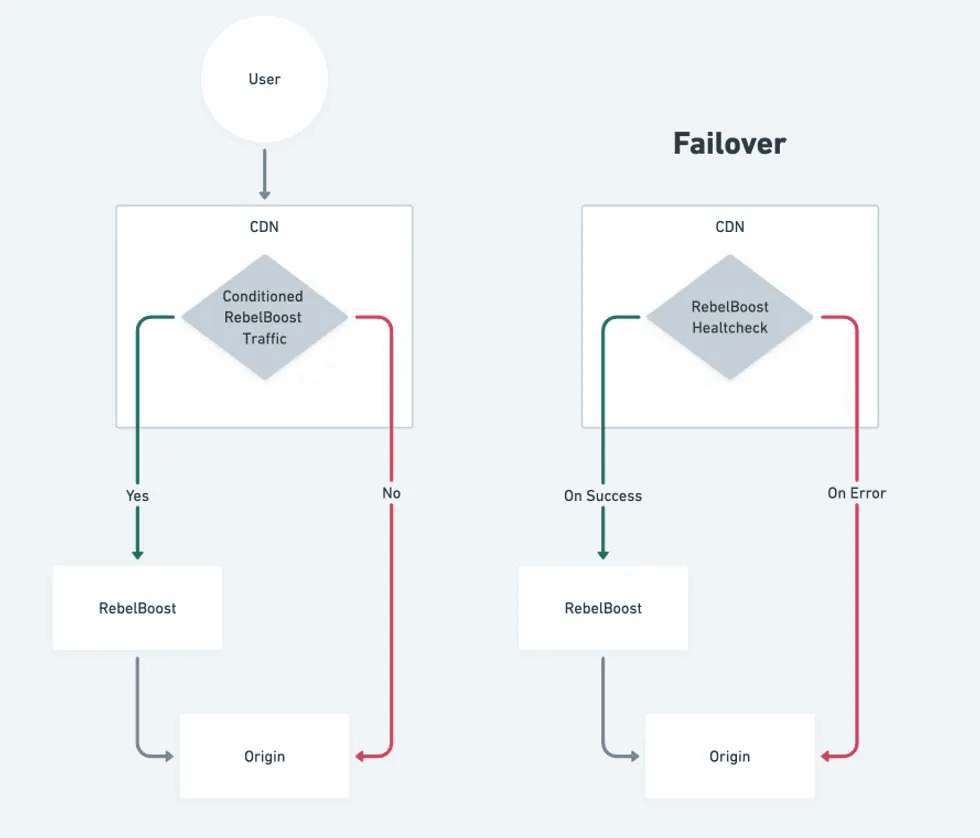
How to configure RebelBoost
CDN configuration based on Fastly CDN
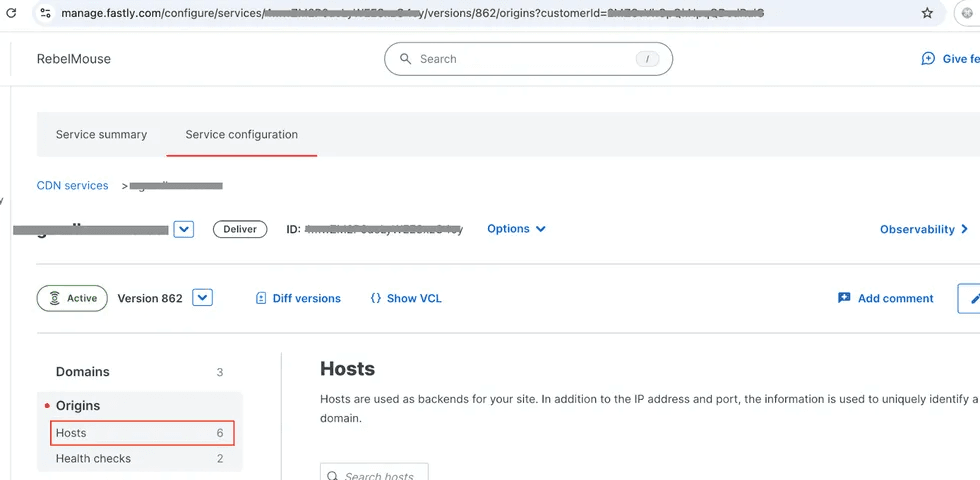
1. Go to Origins -> Hosts
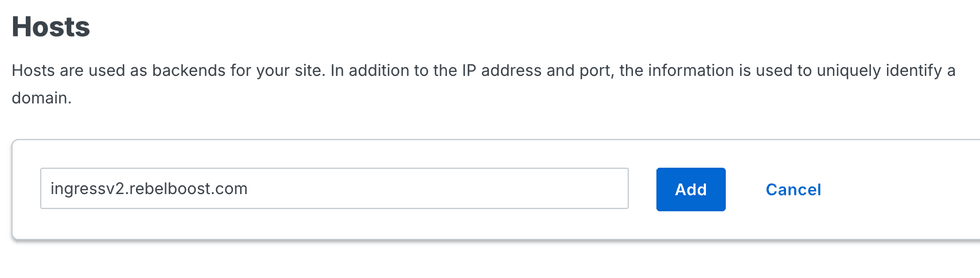
Add origin ingressv2.rebelboost.com
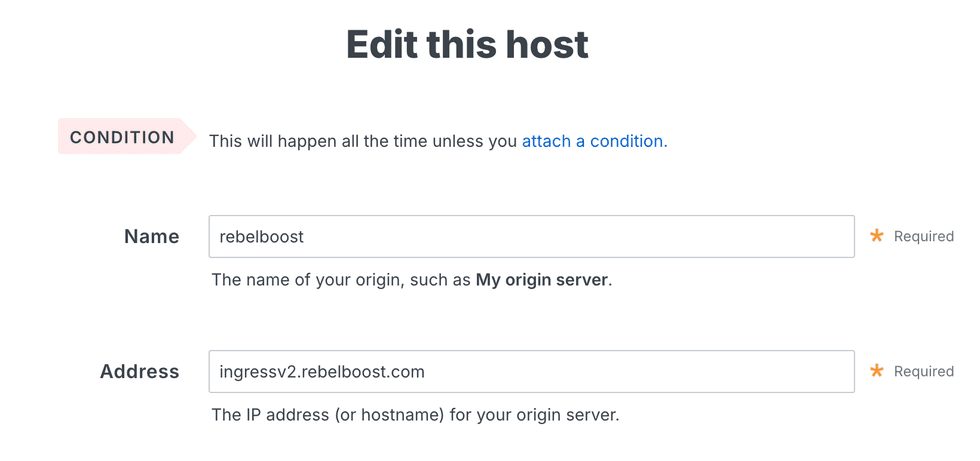
Edit the new host to set an informative name.
Set Override host
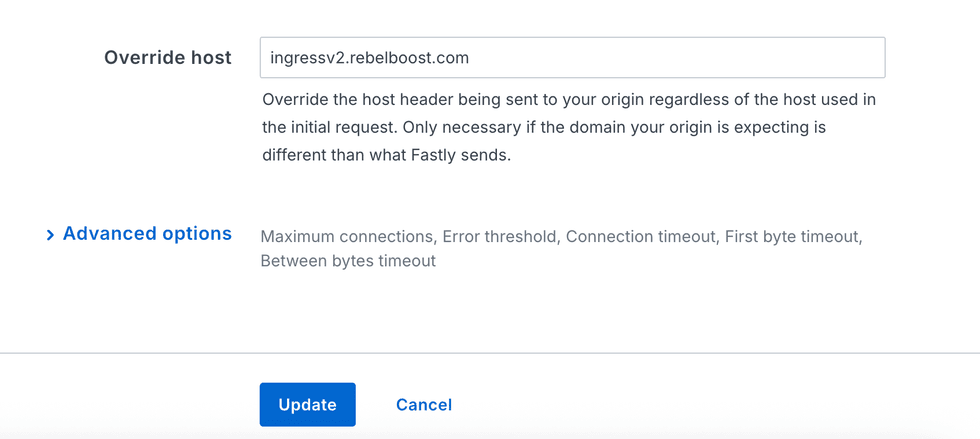
Then click Update
3. Create a request condition to point traffic to RebelBoost
Click 'Attach a condition' on the created host. Then click 'Create a new request condition'. Insert desired conditions for activation of RebelBoost based on the following example:
req.url ~ "^/stories/"Then click 'Save and apply ...
4. Configure CDN failover
4.1 Create a health check
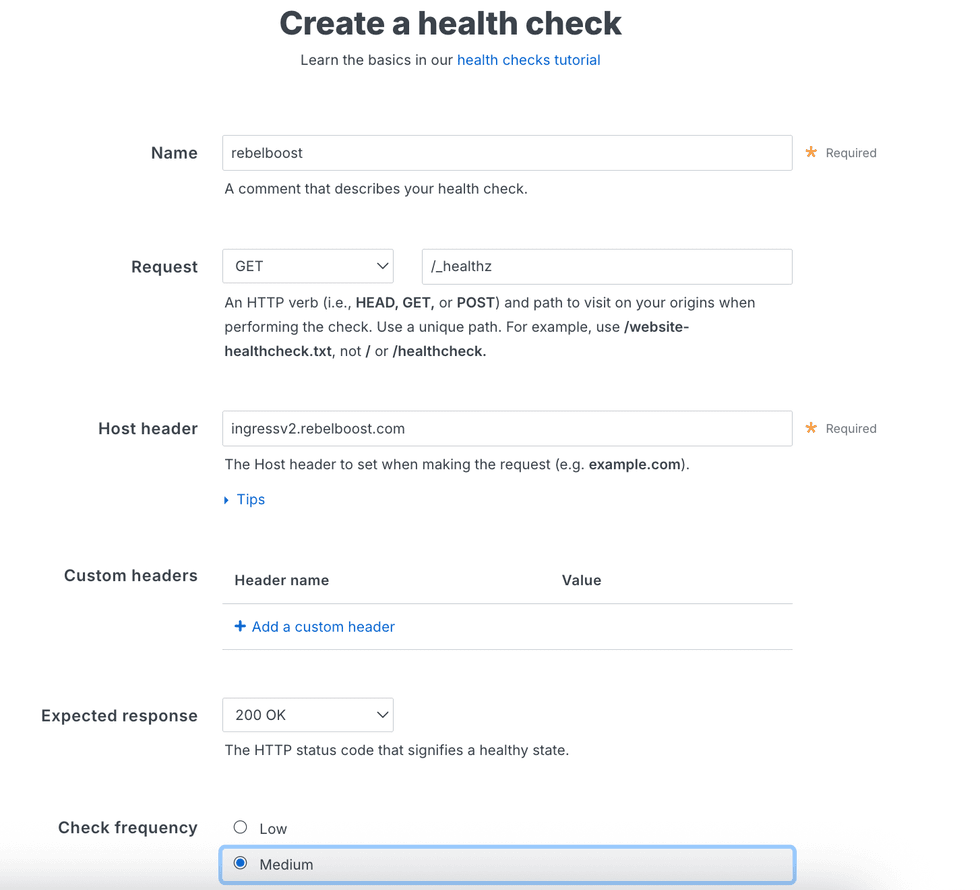
'Create health check' button can be found at the bottom of Hosts page.
The path is
/_healthz
4.2. Add the health check into the request conditional rule

4.3 Attach the healthcheck to the host

5. Activate the new version of your service
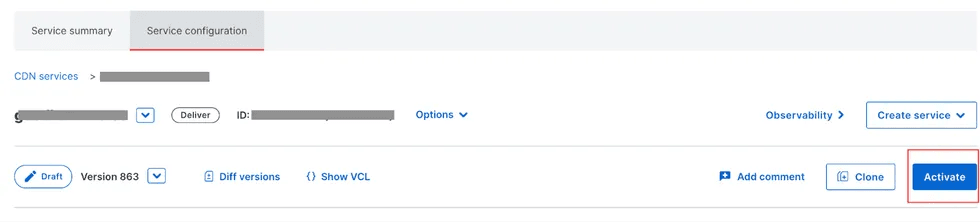
Done
Table of Contents
- Principal Schema
- How to configure RebelBoost
- 1. Go to Origins -> Hosts
- Add origin ingressv2.rebelboost.com
- Edit the new host to set an informative name.
- Set Override host
- 3. Create a request condition to point traffic to RebelBoost
- 4. Configure CDN failover
- 4.1 Create a health check
- 4.2. Add the health check into the request conditional rule
- 4.3 Attach the healthcheck to the host
- 5. Activate the new version of your service


© 2026 RebelMouse. All rights reserved.