

Google Discover just got a bit more interactive. SEO consultant Glenn Gabe posted on Twitter that he noticed a long tap to preview function pop up on Google Discover for Chrome users.
The new preview feature is another great reason to start optimizing your content for Google Discover. As a reminder, according to Google, Discover is a hyper-personalized feed that "actively tunes itself to a user's interests and displays content that aligns with those interests." Since Discover's feed is curated by a user's previous web activity, it's a great opportunity to expose your content to an ultra-targeted audience.
The long tap to preview allows a user to preview an article page when they press and hold down on a story. Here’s a screenshot of what the new long tap to preview looks like:
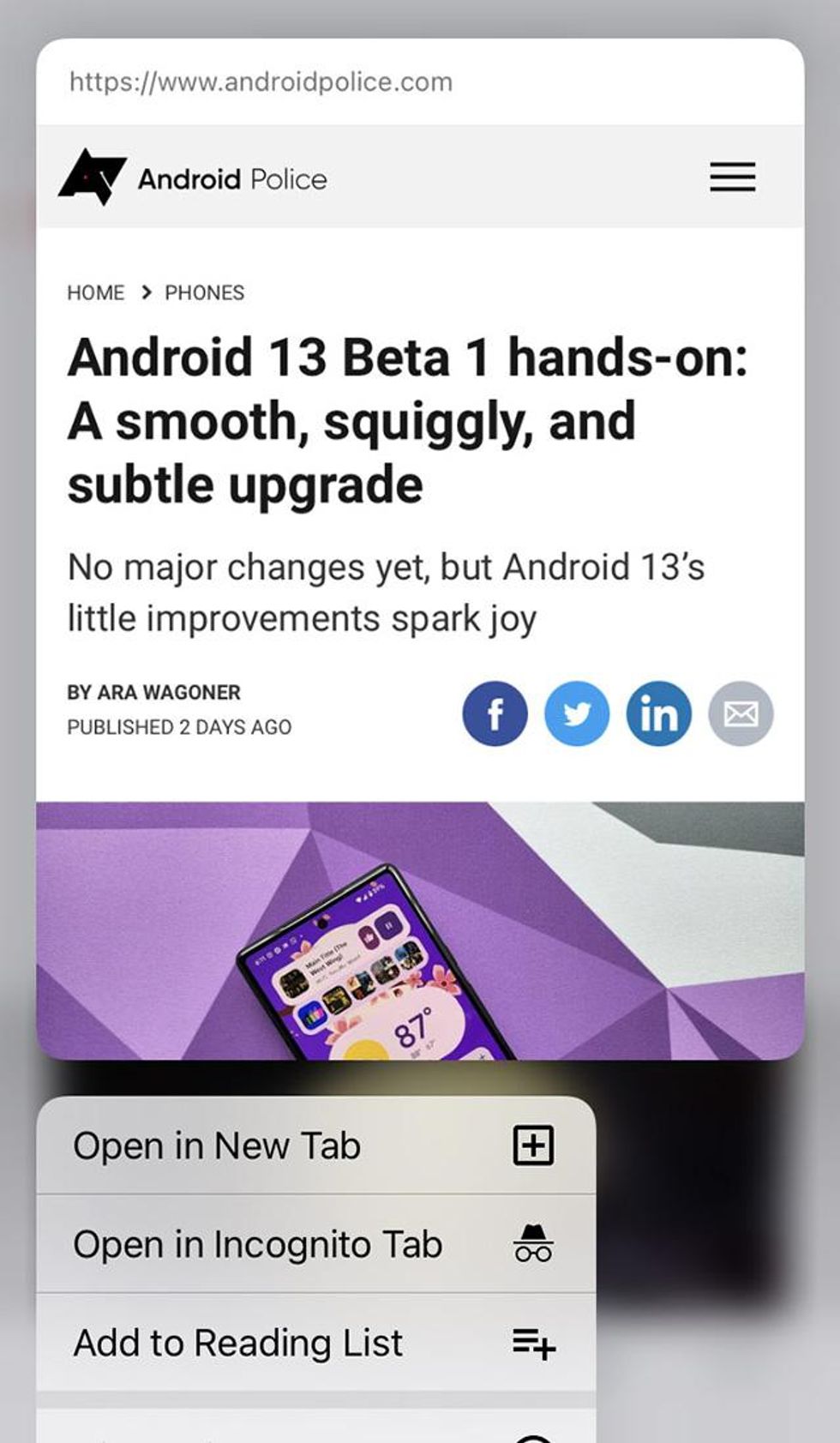 From Twitter. Sourced from SEO Roundtable.
After noticing the new preview functionality, Gabe pondered to the Twitterverse if the action of previewing a story would trigger a view on the article’s page. He found out through checking his real-time stats in Google Analytics that a preview did in fact register a view. Even more interesting, it also triggered ad impressions. (Please note that his findings have not been confirmed by Google yet.
Optimize Your Content for Google Discover
Google has its own content policies for Discover that you can read about here. Discover also has its own guidelines for images. You can follow our post on how to optimize content for Discover to learn more.
Google recommends that the preview/thumbnail image for a Discover article should be larger and more compelling than other traditional content previews. This can be automatically enabled by using a meta tag on your site. If your image is high quality and at least 1200 pixels wide, your article has a higher likelihood of appearing in Discover.
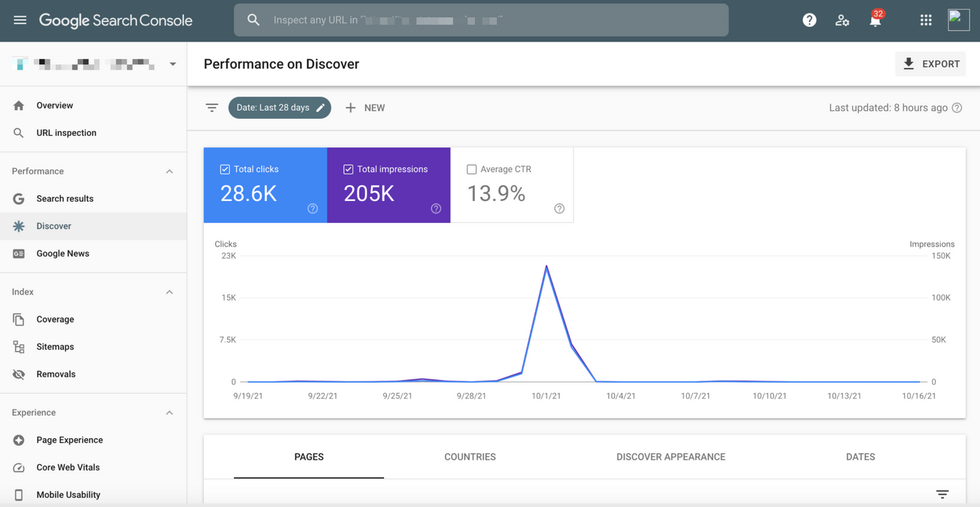
At RebelMouse, we've automatically enabled this large-image setting across the sites within our network. While the update may seem small, it has resulted in a significant and positive impact on traffic when an article makes it into Discover's feed. Check out the visible boost it gave one of our clients, as tracked by Google Search Console:
Get Your Content Discovered
It’s important to mention that Discover doesn't just feature newly published articles. If your content is helpful and high quality, it can appear in a user's Discover feed at any time. So you have plenty of time to update existing, evergreen content for the format.
At RebelMouse, we automatically optimize your content for Google Discover and all of the other factors that make up Google’s algorithms. Click here to learn more about how we optimize websites for search.
Not on RebelMouse yet? Request a proposal today to get started.


