

You can add pagination to section, tag, and archive pages using RebelMouse's Layout & Design Tool. This can be done through our Pagination element:
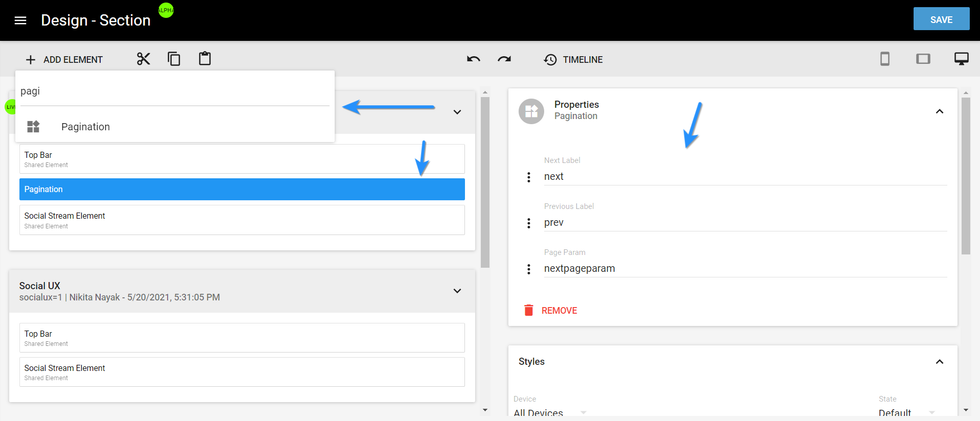
Using the Properties card, there are three options that you can configure on the Pagination element:
- Next Label: This property assigns a name to the button that takes a user to the next page.
- Previous Label: This property assigns a name to the button that takes a user to the previous page.
- Page Param: This will add a parameter to the URL when a user changes the page.
Here's how the Pagination element looks live on site:
If you have any questions about this feature, email support@rebelmouse.com or talk to your account manager today.


