

The Broken Links Dashboard is a powerful tool designed to enhance your website's SEO and usability by identifying and resolving broken links. With an intuitive interface and robust functionality, this tool empowers website owners and RebelMouse’s team members to audit, categorize, and fix broken links efficiently to improve website crawlability and traffic.
How Broken Links Impact Site Performance
Internal and external broken links are detrimental to your website's health. Internal broken links are hyperlinks that lead to non-existent pages within your site, resulting in a 404 error. Internal broken links create dead ends for users and waste internal crawl paths. They do not directly lower your rankings, but they weaken user experience and can cause link equity to be lost where pages are no longer reachable.
External broken links point to dead pages on other websites. Although they are less harmful than internal broken links, external broken links still negatively affect the user experience and your site's credibility.
Fixing broken links improves user experience and keeps your internal links pointing to live, useful pages. It supports site usability and crawl efficiency, though it is not a guaranteed traffic or ranking increase. Your primary goal with the Broken Links Dashboard should be to minimize or eliminate broken links on your website, enhancing its SEO performance and the user experience.
You can quickly access this dashboard by appending /r/dashboard/broken_links to your site's URL in your browser's address bar.
What About Malformed Links?
Broken links are not the only kind of link problem worth fixing. Malformed links are just as common, and the Broken Links Dashboard can handle them too.
A malformed link is one whose URL is structurally invalid, rather than one that simply points to a missing page. Common causes include a missing or incorrect protocol (for example, a link with no https://), stray spaces or line breaks inside the URL, incorrectly encoded characters, doubled-up slashes, a truncated address, or two URLs accidentally pasted into a single link. Unlike a standard broken link, which usually resolves to a real 404 page, a malformed link may fail to resolve at all or send the visitor somewhere unintended.
The impact is similar to that of broken links. Malformed links create a poor experience for anyone who clicks them, and they can disrupt the paths that search engine crawlers follow through your site. They are not a direct ranking penalty, but they do undermine usability and can cause link equity to be lost wherever a destination cannot be reached correctly.
The Broken Links Dashboard makes malformed links easy to deal with. You can investigate where each one appears across your posts, update it to the correct, properly formed URL, or remove it entirely when no valid destination exists. The dashboard updates every post containing the link in one step, so you can resolve issues at scale without editing each post by hand.
How the Broken Links Dashboard Works
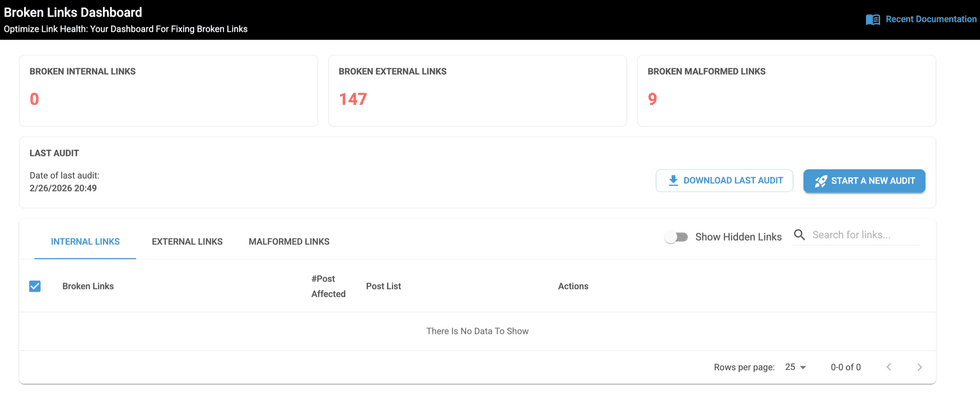
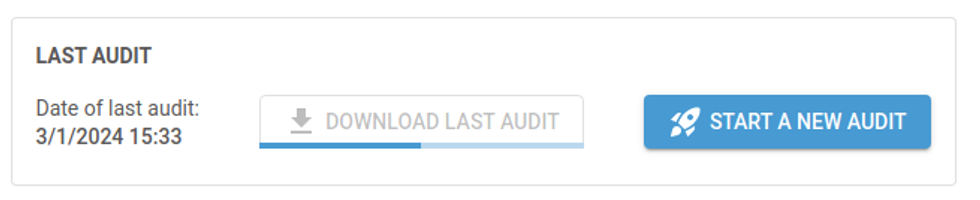
After logging into the Broken Links Dashboard, the first thing you should do is start an audit of your website. This process may take some time to finish because it carefully reviews each post on your website to find broken links. You can also periodically start new audits to ensure that your site's health is continuously monitored and maintained.


The audit will identify and display all broken links on your website. We always advise our clients to begin fixing internal links since they negatively impact SEO.
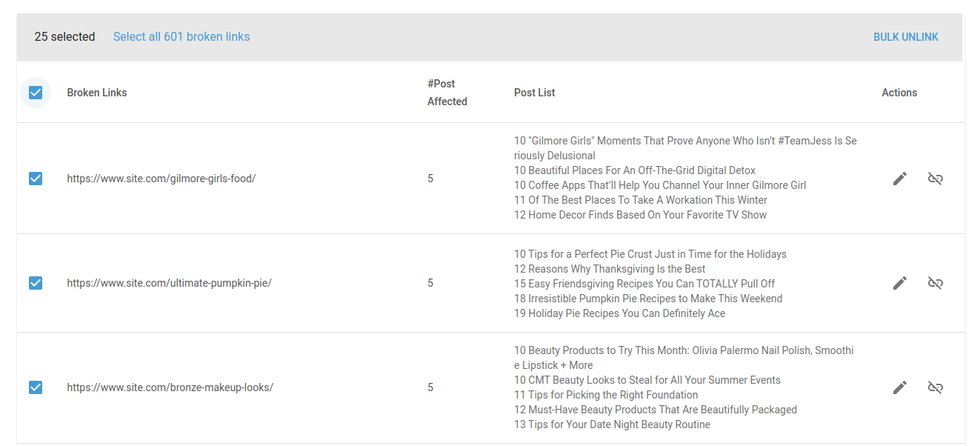
The results prioritize broken links based on their impact, with the links affecting the most post pages appearing first. This prioritization helps to address the most critical issues, improving site performance and SEO.
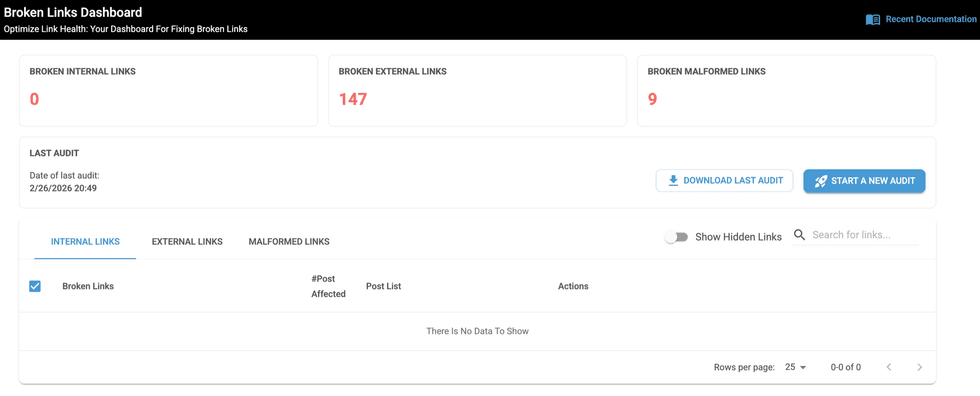
Once the audit is complete, you have three options to fix the broken links:
Manually Edit Links: To manually edit links, simply click the edit/pencil icon next to any identified broken link and make your changes. Every post containing that link will be automatically updated with the new one, ensuring a smooth and efficient update process.
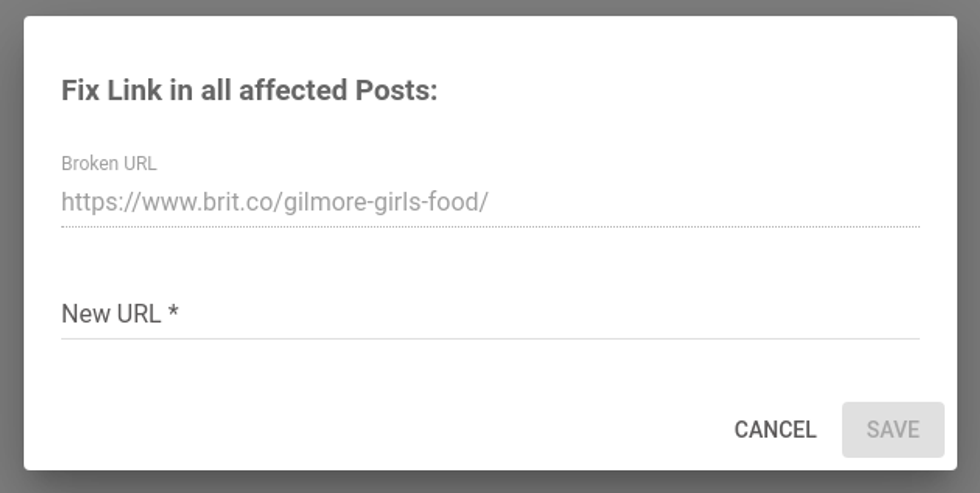
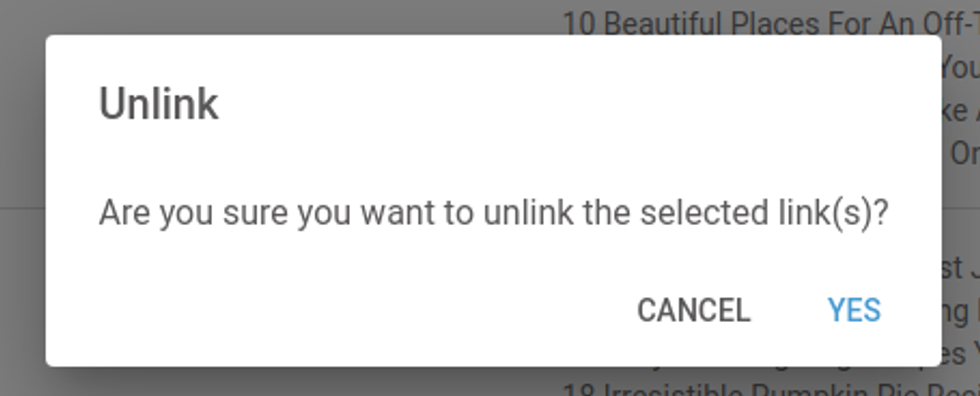
Bulk or Single Unlink Links: The bulk unlink feature removes several broken links from original posts, addressing multiple issues. We recommend this option for websites that have a large number of broken links. Remember that having no link is better than having a broken link.
Flexible Operations: Use the Download Last Audit button to download a report containing discovered broken links. After downloading the report, analyze it with a tool like Excel or Google Sheets for any specific patterns. Then, set up redirects to the new URLs accordingly. Once the mapping of redirects has been completed, you can use our Bulk Redirect Import tool to systematically apply redirects at scale, streamlining site optimization.
Note: The audit checks all posts for broken links, but it does not detect broken links embedded within your site's layout or template designs.
Enhance Your Site Performance With the Broken Links Dashboard
The Broken Links Dashboard is vital for site health and SEO. It offers insights on internal and external broken links, allowing users to enhance usability and search engine rankings.
Users can efficiently fix links through manual and bulk operations, resulting in a cleaner link structure and a better experience for visitors.
We recommend addressing all of your site's broken links as soon as possible. But if you’re unable to fix each issue immediately, we suggest the following:
- Always fix internal broken links first.
- Focus on the links that affect the most posts.
- Broken links are worse than not having any. So, if you don't have time to fix them all, we recommend focusing on the ones that are most important and either bulk unlink them (especially external links) or contact our services team for additional help.
To request a demo or add this feature to your account, please get in touch with a RebelMouse specialist or contact your account manager today.


