

Key Takeaways
Scans the web for updates:
It automates research that can be painstaking and boring for editors.Makes suggestions that must be human reviewed:
The recommendations only go live once approved by a human editor.Looks at traffic metrics:
Old posts bubble up when they're gaining traffic or you can manually check any post.
One challenge that any publisher faces is keeping older content up-to-date. We aim to solve that with our Evergreen Dashboard.
It starts simply with a daily scan of your content to find posts that are gaining traction traffic-wise that are older (think six months ago, a year ago, or even earlier). If no out-of-date references are found, it moves on. But when there are issues, it'll appear in your Evergreen Dashboard feed with recommendations for improvement.
This process is done with AI, specifically Google Gemini; it'll check your content directly against Google's own search results.
Everything has to be manually reviewed by a human editor or writer before changes go live. That's the secret sauce that keeps it human, and it's in line with Google's recent guidance that everything AI-generated must be manually reviewed.
Here's an example of a dated article and suggestions for improvements:
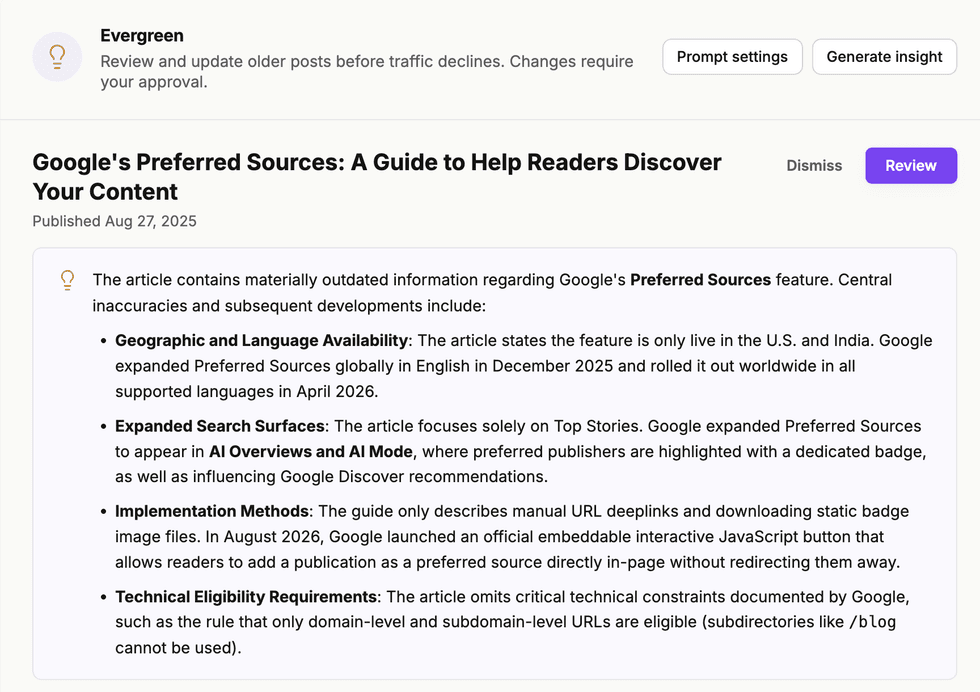
Simply hit the "Review" button and you'll see proposed changes that you can choose to accept or deny.
In addition to updates to outdated references, it will also proofread for grammatical or material improvements, like this:
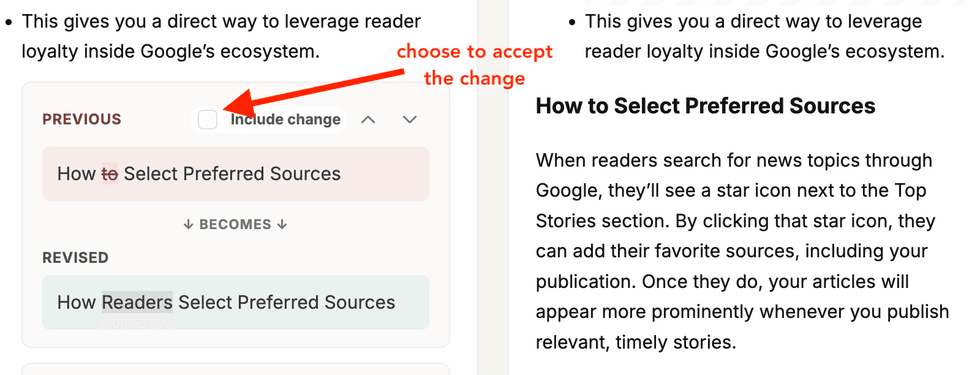
Once you have selected the changes, you can preview the post in our Entry Editor before publishing the updates. This provides a final check for a human review before an updated post goes live.
Curious about the sources? Simply hit "Show Details" when you're on the Review page and it will provide links that Google used to make the recommended changes.
Beyond the automated suggested articles, you can have any article reviewed, simply by pulling the Post ID (located at the end of the URL in Entry Editor) and copying and pasting that into the Evergreen Dashboard with the "Generate Insight" button. You can also look for and select multiple articles at a time from the Posts Dashboard using the lightbulb (💡) icon to generate insights.
Have any questions? Get in touch with us and we're happy to answer.


