
There's a simple way to enable photo credit on your post pages. Follow these easy steps:
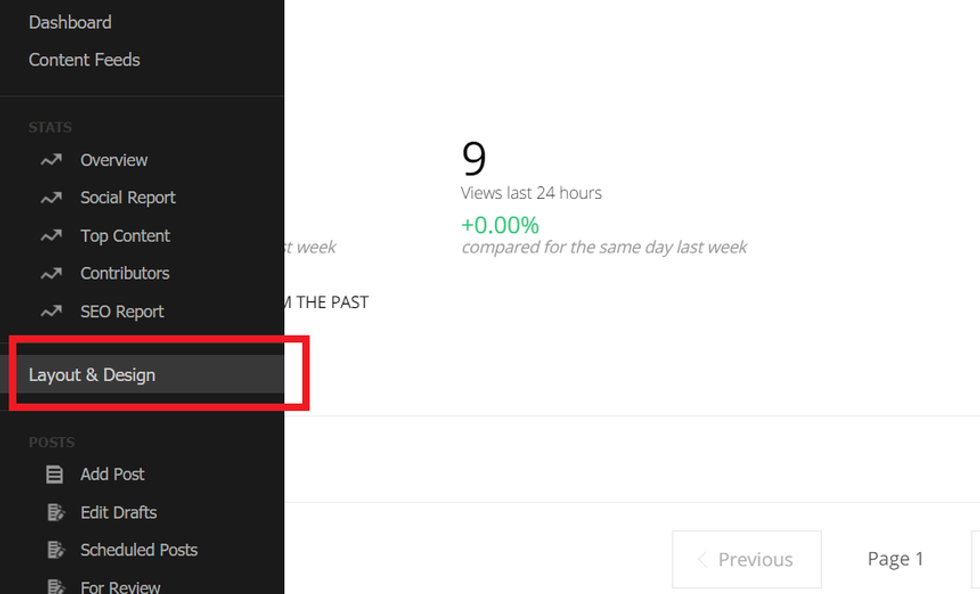
1. Go to Layout & Design Tool in the left-hand navigation menu.
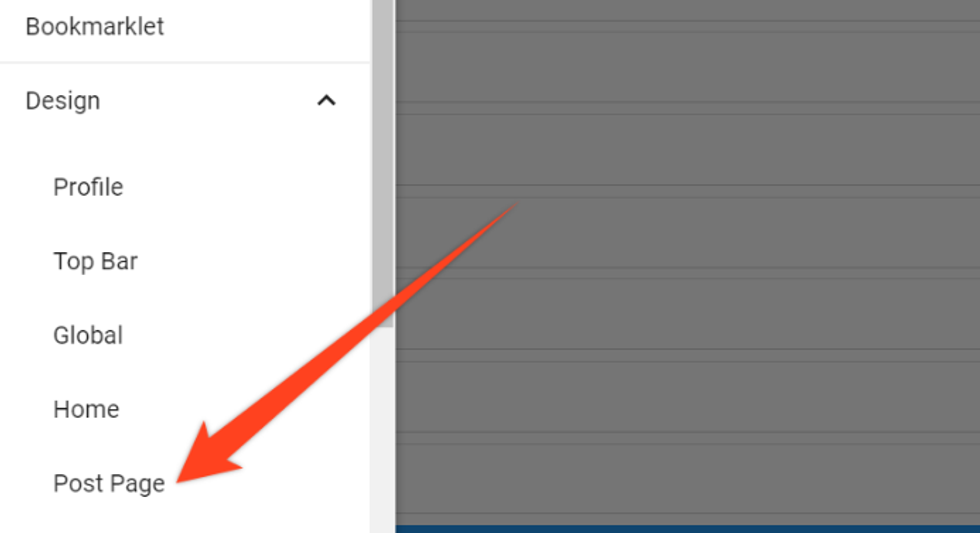
2. Next, click on Post Page.
3. Select a Posts element.

On the right-hand side, a Properties card will appear. Open up the Element Order menu.

4. Scroll through the elements until you find Photo Credit.
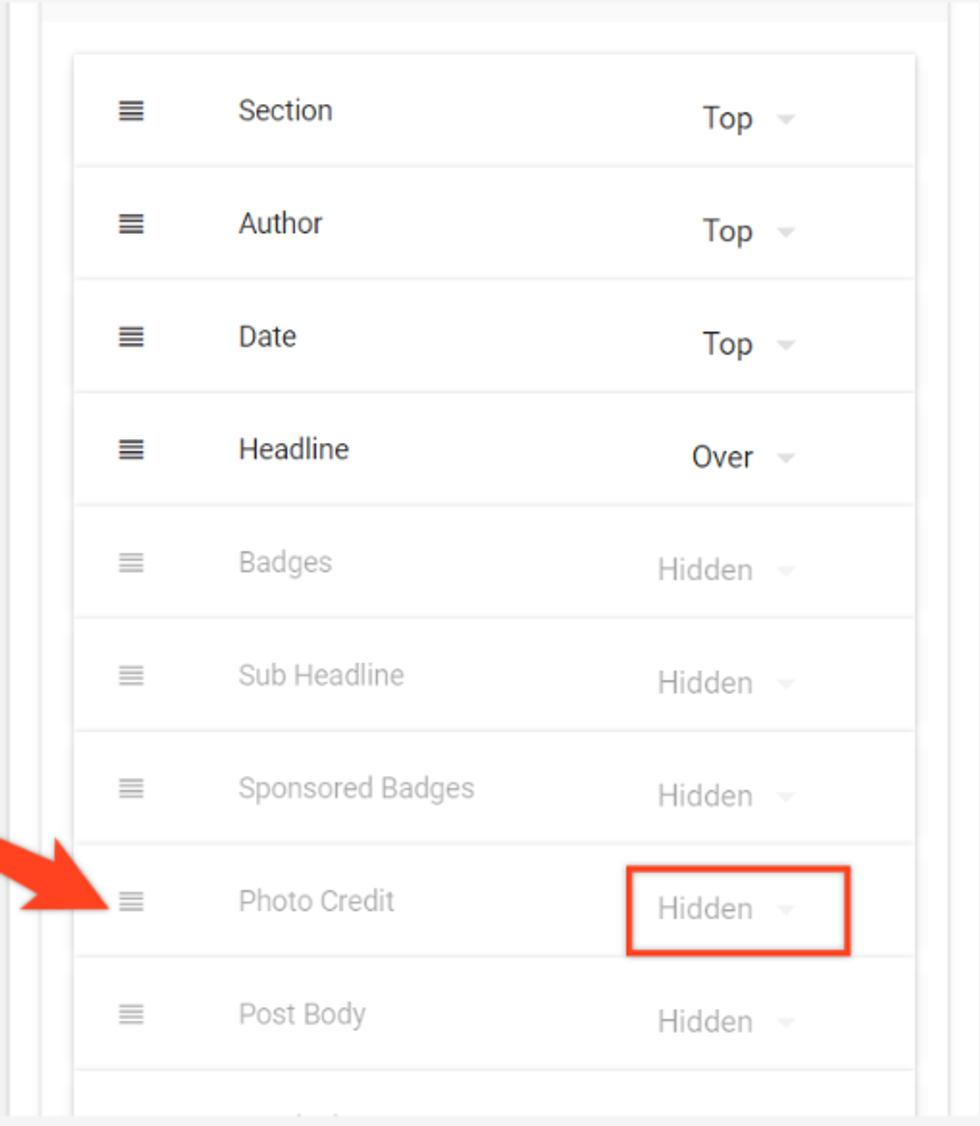
5. Move the element to reorder the way it should appear on your post page. Choose its layout to enable it, and make sure it's not hidden.
6. Save your changes.
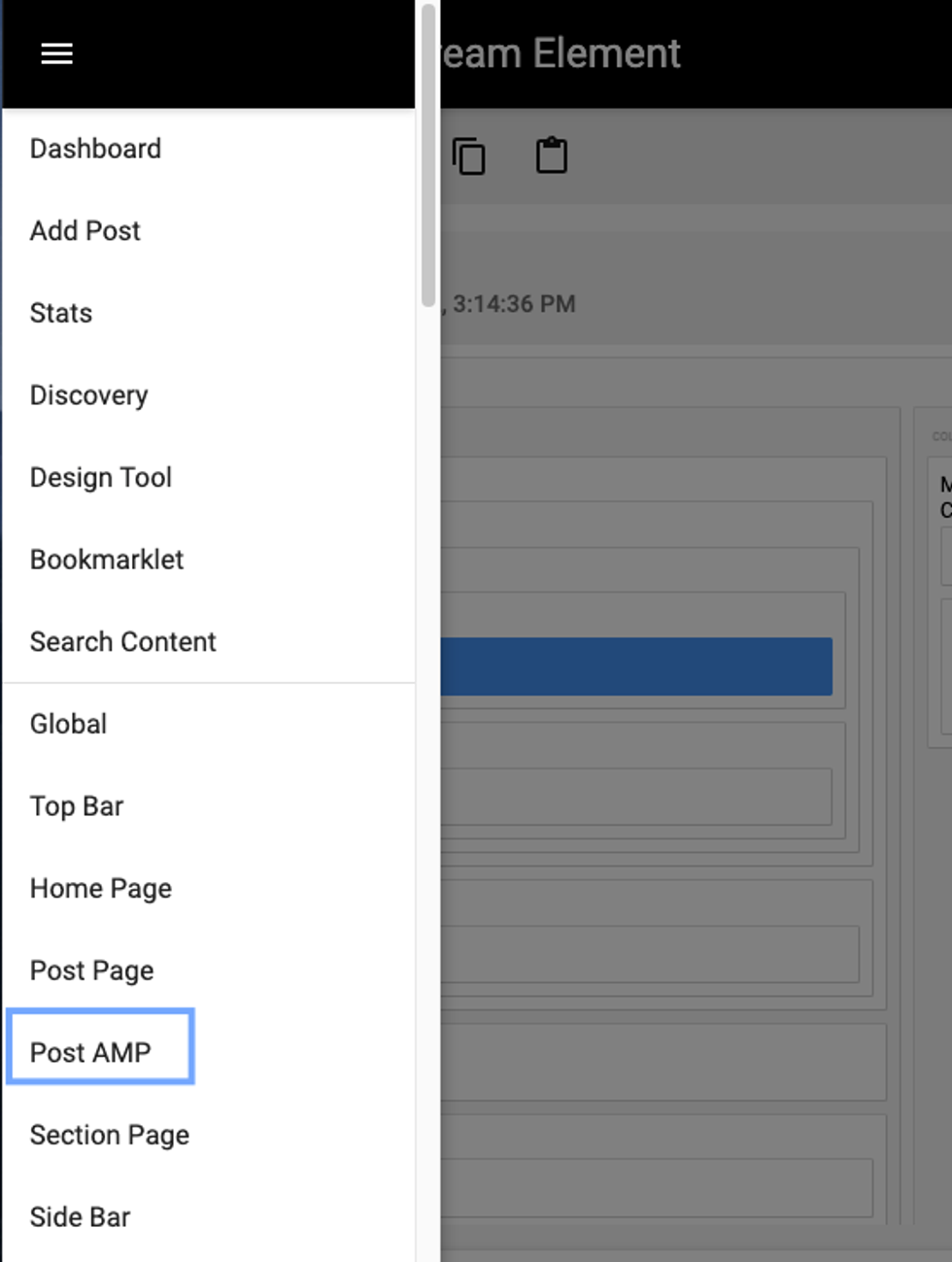
Please Note: You will also need to make these changes for your AMP-specific page. The process is the same, with the exception that you will select your AMP layout from the hamburger menu (☰) in Layout & Design Tool: