
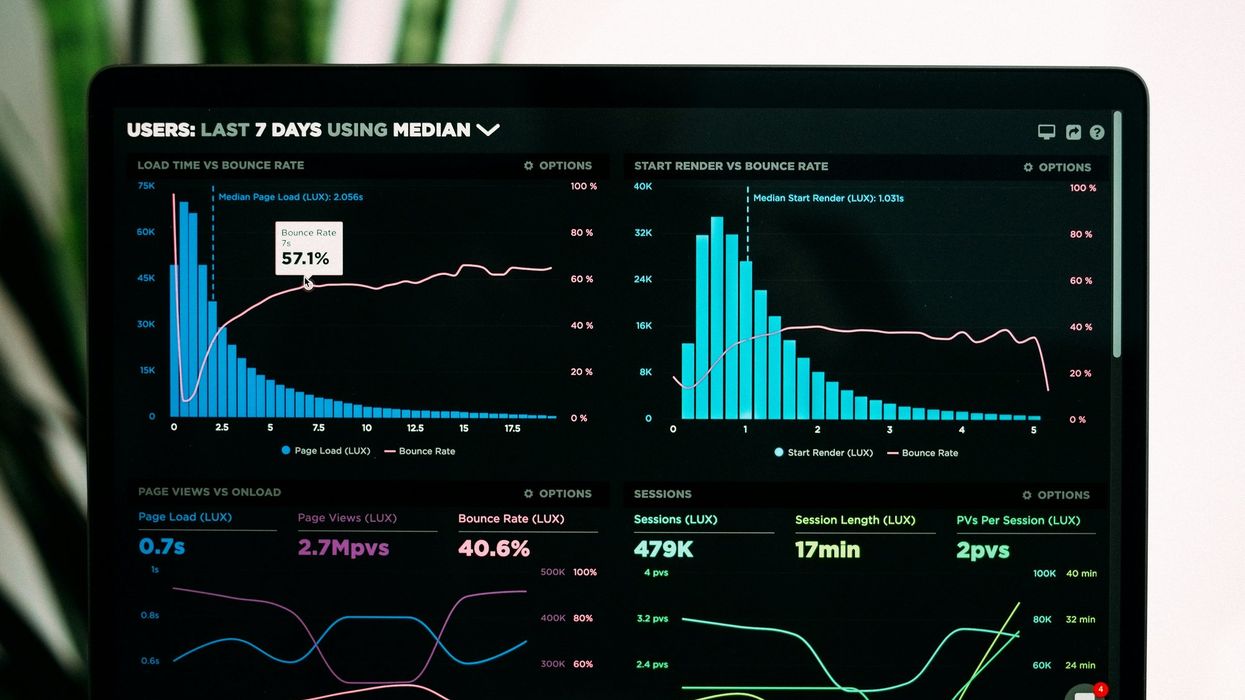

Here’s the truth about website performance: Users absolutely notice it, but almost never in the way site owners expect them to notice it. They don’t usually stop and think, “This site is slow.” They just quietly and instantly are gone and headed to another website in the time it takes to click away.
So let’s talk about what’s really happening, why perception and reality drift apart, and how to keep your site fast in a way that people actually feel.
The Myth of the “Good Enough” Website
Most slow sites aren’t catastrophically broken. They’re just a little heavy and a little jumpy. And those little things stack up.
You might not notice it because you’re used to your own site. You know where everything is and you’re patient because you care. You might even be testing it under conditions that don’t match real users.
But those users? They’re on their phone at 8:12 p.m. They have three bars on their phone and they’re distracted. They’re not loyal yet. And they’re comparing you, subconsciously, to the fastest experiences they use every day.
That gap between what you think is happening and what users feel is where performance starts quietly draining leads, revenue, and trust.The Difference Between Thought and Action
People don’t browse the web like they’re grading a lab report. They browse like humans. That means when something feels off, the reaction is emotional first and logical second.
Most of the time, they won’t articulate their displeasure. They’ll just respond by heading to another site that doesn’t move slow. And they’ll likely forget all about you before the new page even finishes loading.
What “Slow” Looks Like
Instead of writing you a performance complaint email (because honestly no one does this), users typically:
- Stop scrolling because the page feels sticky or jittery.
- Choose not to tap the next step because it feels risky.
- Click twice (or five times) because nothing seems to happen.
- Abandon a form halfway through.
- Bounce back to Google and pick the next search result.
- Decide they’ll “do it later” (which usually means never).
And here’s the part that stings: They don’t leave mad. They just leave.
Performance is experienced as confidence.
- When the experience has momentum, people keep going.
- When it doesn’t, they hesitate.
- When they hesitate, conversions die.
Performance Is Emotional
The Nielsen Norman Group has written for decades about response time thresholds that shape how users feel an interface. It’s especially that “instant” feedback zone that makes people feel in control.
You don’t need your site to be perfect. It needs to feel responsive and dependable at the exact moments users decide whether to continue.
And that’s why “nobody complains” is not a comforting thing. It’s just what silent failure looks like.
The Data (Proof Points That Speed Changes Behavior)
 Photo by Conny Schneider on Unsplash
Let’s put some numbers behind this. Here are five widely cited data points that show how performance changes what users do:
- As load time goes from one second to three, bounce probability increases by 32%.
- A 0.1 second improvement in mobile speed increased conversions by ~8.4% (retail) and ~10.1% (travel) in a Deloitte/Google analysis.
- Sites that meet Core Web Vitals benchmarks had visitors who were 24% less likely to abandon the page.
- A 100-millisecond delay can hurt conversion rates (Akamai reported 7% in their retail performance reporting). The “milliseconds matter” theme shows up again and again in real-world data.
- Real case studies show business impact when you fix the right things, for example, web.dev summarizes multiple brands where improving LCP/CLS correlated with measurable drops in bounce rate (across AliExpress, GEDI, and others).
No single stat is a magic law of physics for every site. But the direction is painfully consistent:
- Faster and more stable experiences = more continuation behavior.
- More continuation behavior = more revenue outcomes.
Performance vs. Perception (Why a Site Can “Feel Slow” Even When Tools Look Fine)
This is where things get spicy.
Page Insight Accuracy
Google’s PageSpeed Insights gives you lab data (controlled testing) and sometimes field data (real user experience). Google explicitly warns that lab data is great for debugging, but it may not capture real-world bottlenecks.
Translation: Your score can look pretty while real users still suffer.
Here are a few common reasons:
- Your users have worse devices than your test device.
- Your users have worse networks than your office.
- Your site behaves differently with third-party scripts, ads, A/B tests, consent banners, chat widgets, and tracking.
- Field data is aggregated and messy, and that’s the point. Real life is messy.
So you can “pass” in a lab and still create a slow-feeling experience in the wild.
CLS Metric
If you want one metric that screams perception, it’s Cumulative Layout Shift (CLS).
CLS is basically how much stuff unexpectedly jumps around while a page loads or updates. web.dev’s documentation is blunt about what it measures and why it matters.
Why CLS feels so awful:
- It causes misclicks.
- It breaks reading flow.
- It makes users feel like the site is unstable or spammy.
- It kills confidence right when you’re asking for a click.
You can be “fast” in raw load time and still feel terrible if the page is shifting under people’s thumbs.
Rage Clicking
When users repeatedly tap a button or area, they’re not being dramatic. Instead, they’re confused, blocked, or experiencing lag.
That behavior even has a name: rage clicks (or rage taps). Tools like Fullstory describe it as repeated clicking/tapping that signals frustration and broken expectations.
Rage clicking often shows up when:
- The UI is delayed (e.g., slow main thread, heavy JavaScript).
- A tap didn’t register because the page shifted.
- There’s an invisible overlay.
- The button looks clickable but isn’t.
- The site is “working,” but not responding immediately.
As you’ve probably already figured out, that is exactly where perception becomes reality.
Real-World Places Users Notice Speed (By Site Type)
 Photo by Raymond Kotewicz on Unsplash
Performance hits differently depending on what your site is actually for. Here are four common environments where users notice speed:
1) News and Media Sites
News sites live and die by how many people visit to read. People arrive from social, search, newsletters, and notifications. If the article doesn’t appear quickly, they bounce.
There are publisher case studies where improving Core Web Vitals (such as LCP) correlates with major bounce-rate improvements. NDTV, for example, reported a 55% LCP improvement and noted correlation with a large bounce-rate reduction (with the important caveat that other changes happened, too).
Other publishers have approached Core Web Vitals as a way to improve UX while maintaining monetization performance (ads), like Netzwelt’s work highlighted on web.dev.
On a news site, speed isn’t just “technical.” It’s an important part of the expected promise: You click, you get the story, and you keep reading.
2) E-commerce Sites
E-commerce users notice performance at two moments:
- When browsing feels sluggish (people stop exploring).
- When checkout feels uncertain (people stop trusting).
This is why speed improvements routinely correlate with measurable conversion changes in retail case studies and industry reporting (Akamai’s retail performance reporting is one example of the “milliseconds matter” theme).
In addition, web.dev’s business impact roundups include examples like AliExpress, where improving CLS and LCP correlated with bounce-rate improvements.
In e-commerce, performance is basically a trust signal. If the page is clunky, users assume the purchase experience will be clunky as well.
3) Local Business Sites
Local business traffic is impatient by design. People show up with a mission that includes:
- Find a phone number.
- Check hours.
- See services.
- Request a quote.
- Book an appointment.
- Confirm you’re legit.
If the site delays those actions, especially on mobile, users pick the competitor whose site loads cleanly.
This is where the bounce-rate relationship matters, because local search is often one-click-and-decide behavior. Google’s page-load research shows bounce probability rises as load time increases.
4) Membership and Subscription Sites
Membership sites have a unique problem: You’re asking for commitment.
That means the bar is higher. People notice:
- Login friction.
- Slow account pages.
- Broken transitions.
- Delayed button feedback.
- Instability around paywalls, modals, and personalization.
Google’s materials around Core Web Vitals highlight that meeting their experience thresholds is associated with far lower abandonment.
And if you’re a publisher with subscriptions, performance also shapes how many users become return visitors. Basically, the experience determines whether people come back.
web.dev’s RebelMouse case study discusses how strong Core Web Vitals scores correlated with improved engagement among loyal visitors, fans, and superfans across multiple sites.
On membership sites, performance doesn’t just help conversions. It helps retention, because the product is the experience.
How to Keep Things Fast (and Make It Feel Fast)
Here’s something practical that actually works.
1) Track the Metrics
Core Web Vitals are designed to measure what users experience:
- LCP (Largest Contentful Paint): “Did the main thing show up quickly?”
- CLS (Cumulative Layout Shift): “Did the page stay still?”
- INP (Interaction to Next Paint): “Did the site respond when I tried to do something?”
INP replaced First Input Delay (FID) as a Core Web Vitals metric in 2024 (so if you’re still obsessing over FID, you’re living in the past).
Also, keep an eye on:
- Time to First Byte (TTFB) (i.e., server responsiveness)
- JavaScript execution time (i.e., main-thread hogging)
- Third-party impact (e.g., ads, tags, experiments)
2) Using Tools
Use lab tools to find problems. However, validate with field data, i.e., real-user monitoring (RUM). Google’s guidance on lab versus field data is clear: They measure different things, and both matter.
3) Fix the Usual Suspects
The classics still work because they attack the biggest sources of drag:
- Defer or delay non-critical JavaScript.
- Reduce unused CSS.
- Compress and properly size images.
- Optimize fonts (and avoid layout shifts from late-loading fonts).
- Cut third-party scripts ruthlessly.
- Stabilize ad slots and embeds (that is, reserve space for them so the page doesn’t jump).
This is the “clean your house” part. However, the problem is that most sites clean once, and then they get messy again.
4) Make the Site Seem Faster
Perceived performance is also important for user experience (UX):
- Clear hierarchy so users instantly know what to do.
- Fewer competing elements above the fold.
- Less visual noise during load.
- Stable layout (again, CLS).
- Fast feedback on taps (even before a full action completes).
This doesn't mean that you’re faking speed. It means that you’re removing the stuff that makes the experience feel uncertain.
5) Contact Us For Improvements
If your site is on WordPress, Drupal, WooCommerce, or basically any CMS where performance starts to slow over time, the big challenge is staying fast.
We have a variety of options for you, including if a CMS migration is not in the cards. We can add a performance layer (not a plugin) that improves Core Web Vitals, minimizes code, and optimizes images and fonts. It does all of this without requiring a CMS migration or website rebuild.
We also offer performance monitoring resources so teams can track critical metrics instead of guessing and can assist setting up AI automations. Contact us to learn more.
If you’re tired of performance being an endless cycle of audits, patches, and regressions, then it's time to focus on fixing the problem.


