

At RebelMouse, we believe creative teams are successful when collaborative ideas can be easily tested and turned into strategic choices quickly. However, content creators are already pinched for time, and deploying a test on a new site approach or design can mean an entirely new set of tasks to contend with.
Our publishing platform streamlines this process by offering multivariate testing at scale, which includes content testing on articles and templates.
Testing Articles
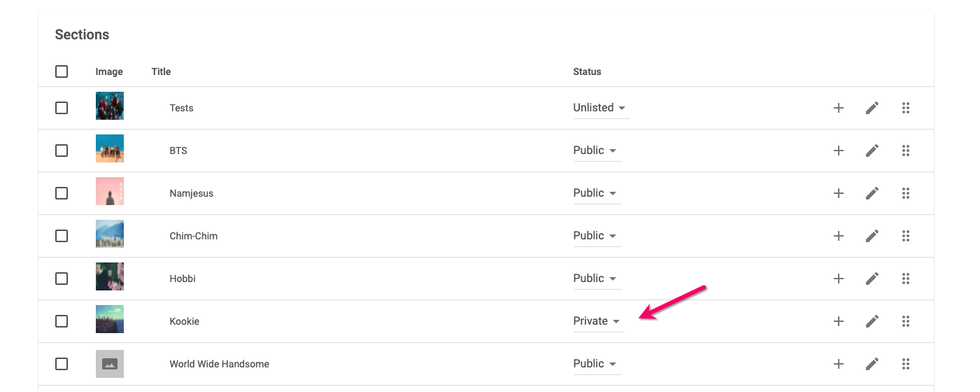
To test an article, create a test version of the post in Entry Editor and hide it in a private section. A private section will still publish the test article to your site, but it will be inaccessible to readers. Keep in mind that your test article needs to be listed only in private sections to keep it truly hidden from users.
Testing Templates
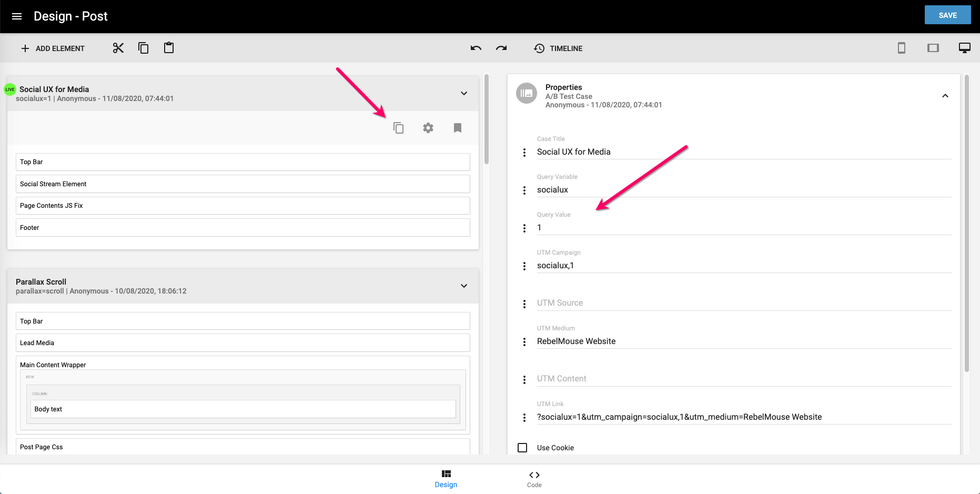
Templates are created in the Layout & Design Tool. You can create a template for many areas of your site, including the home page, the post page, the section page, and so on. On post pages, the content within an article is populated by whatever you enter in Entry Editor and styled by what you configure in Layout & Design Tool.
You can also create a new template for A/B testing on any page in the Layout & Design Tool. Once created, you can then create a new URL to run the template as a B test. Click here for full instructions.
If you have any questions about testing content, email support@rebelmouse.com or talk to your account manager today.


